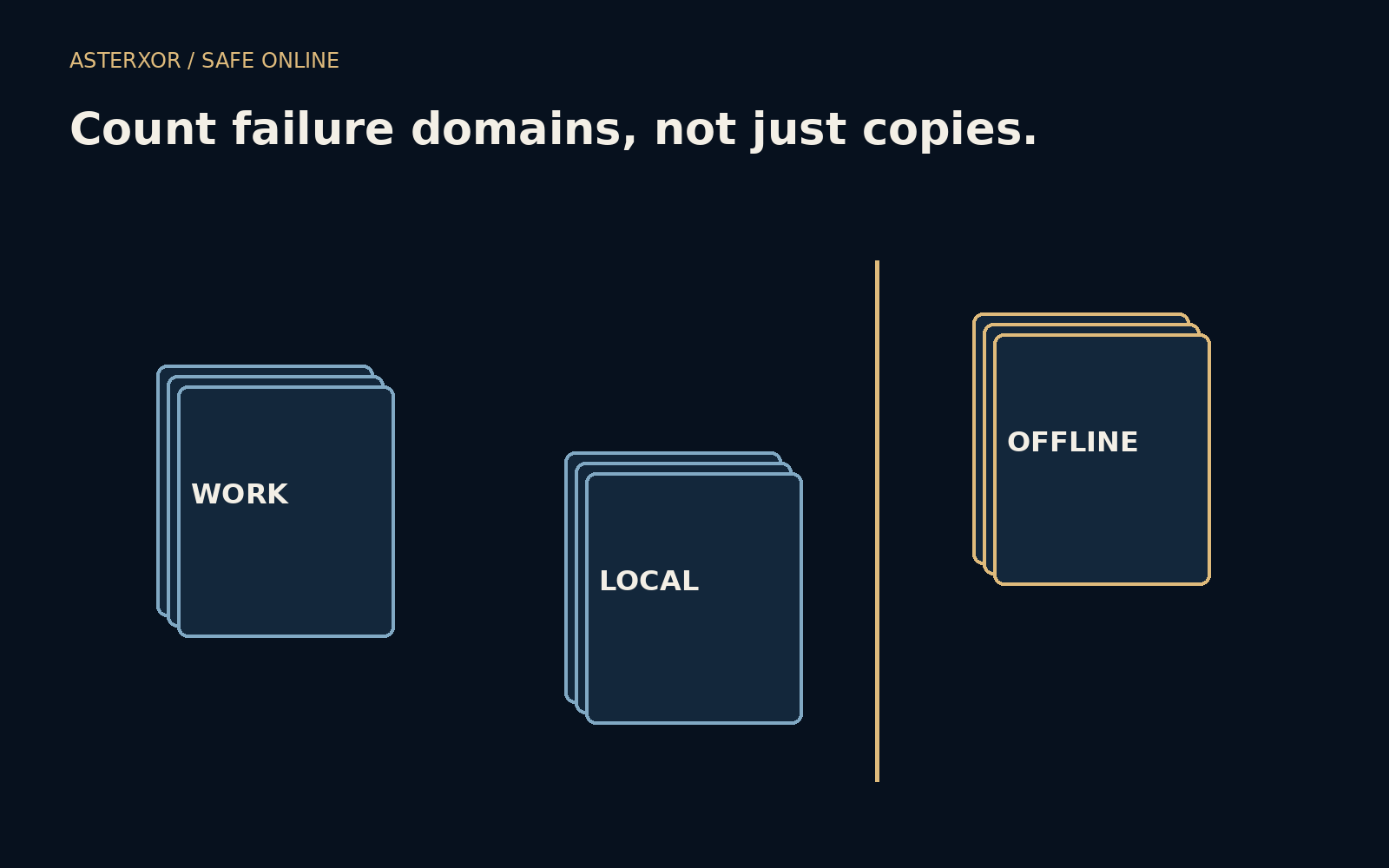
If every copy lives in the same room, how many chances do you really have?
A second copy is reassuring because it exists. What matters during a failure is whether it still exists somewhere you can use. A synchronized folder, a nearby drive and an offline copy elsewhere respond differently to a broken device, a lost room or an accidental deletion. Counting files alone hides those differences. Counting shared failure conditions makes them visible.
Copies are more useful when they can fail separately.
Three copies, three different dependencies
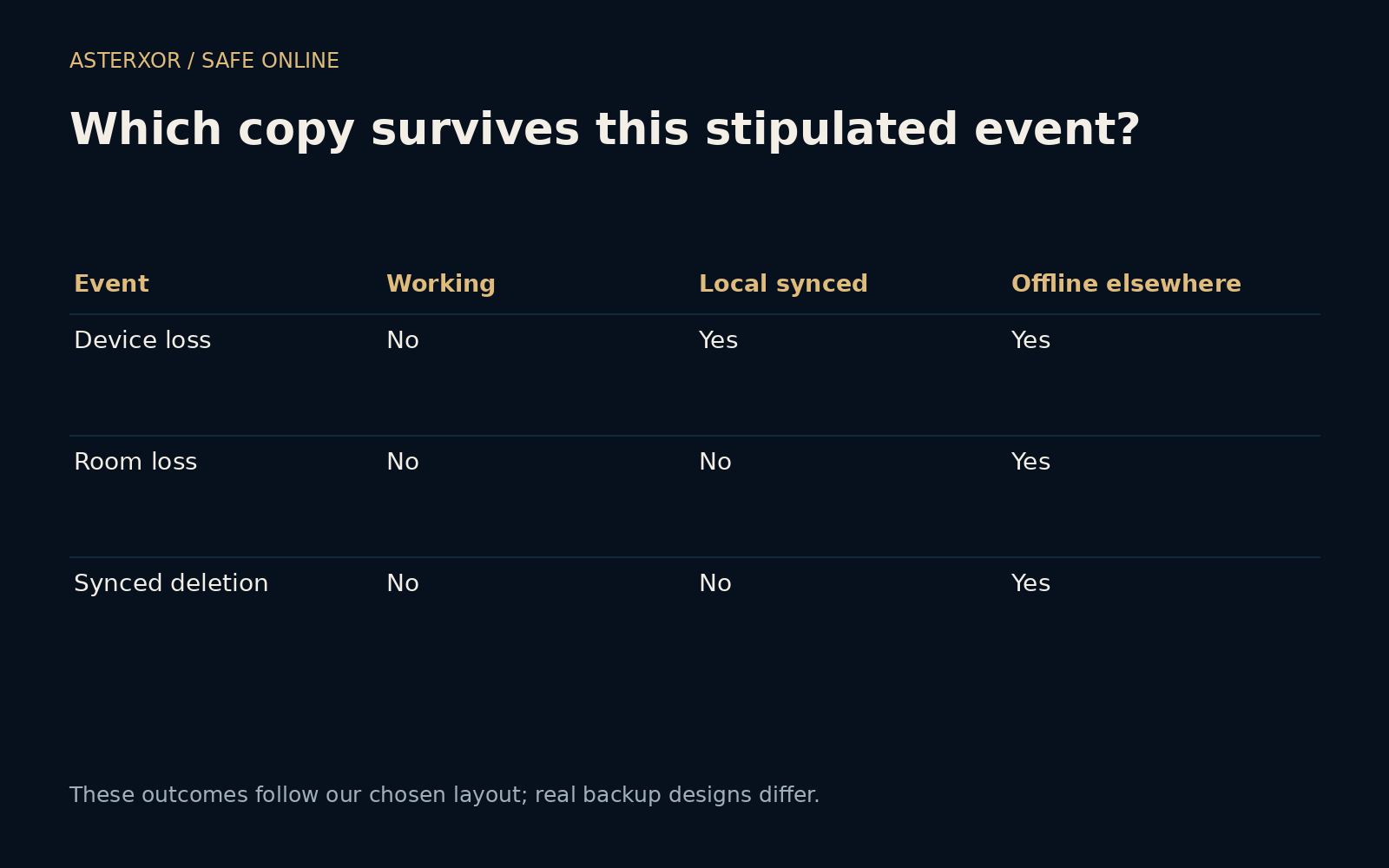
Our fictional layout starts with a working copy on a computer, a local synchronized copy on another device, and a disconnected copy stored elsewhere. The working copy is vulnerable to the modeled computer failure, room loss and synchronized deletion. The local copy shares the room and deletion dependencies. The offline elsewhere copy shares none of those three stipulated conditions.
This is deliberately a simple scenario, not a survey of backup products. Some sync services retain deleted files or versions; some external drives stay connected; some offsite copies are inaccessible without the original device. We name the assumptions so the drawing does not quietly turn one arrangement into a universal claim about how all backups behave.
A device failure differs from a shared event
The local calculation removes copies affected by each event. A working-device failure leaves two copies. Loss of the room leaves only the copy elsewhere. A deletion propagated through the two synchronized locations also leaves only the disconnected copy. Four assertions check the initial count and these survivors. No probabilities are assigned to the events.
Notice why multiplying independent failure probabilities would be inappropriate here. The copies in the same room are intentionally exposed to one common event. The point is not that disasters happen at a particular frequency; it is that a single event can defeat several apparently separate copies. Independence is a design question before it is a numerical assumption.
Synchronization and backup have overlapping but different jobs
Synchronization is convenient because changes move between places. That includes helpful edits, but it can also include a mistake. A backup with retained versions can give you an earlier state to return to. Its usefulness depends on what is retained, for how long, and whether the event that damaged the working copy can also remove those retained versions.
The familiar three-two-one guideline encourages multiple copies, more than one storage arrangement and an offsite copy. Treat it as a starting framework rather than a certificate. A different address is useful only if access remains possible, and a second medium helps only if the recovery process supports it. The actual failure relationships matter more than satisfying a slogan.
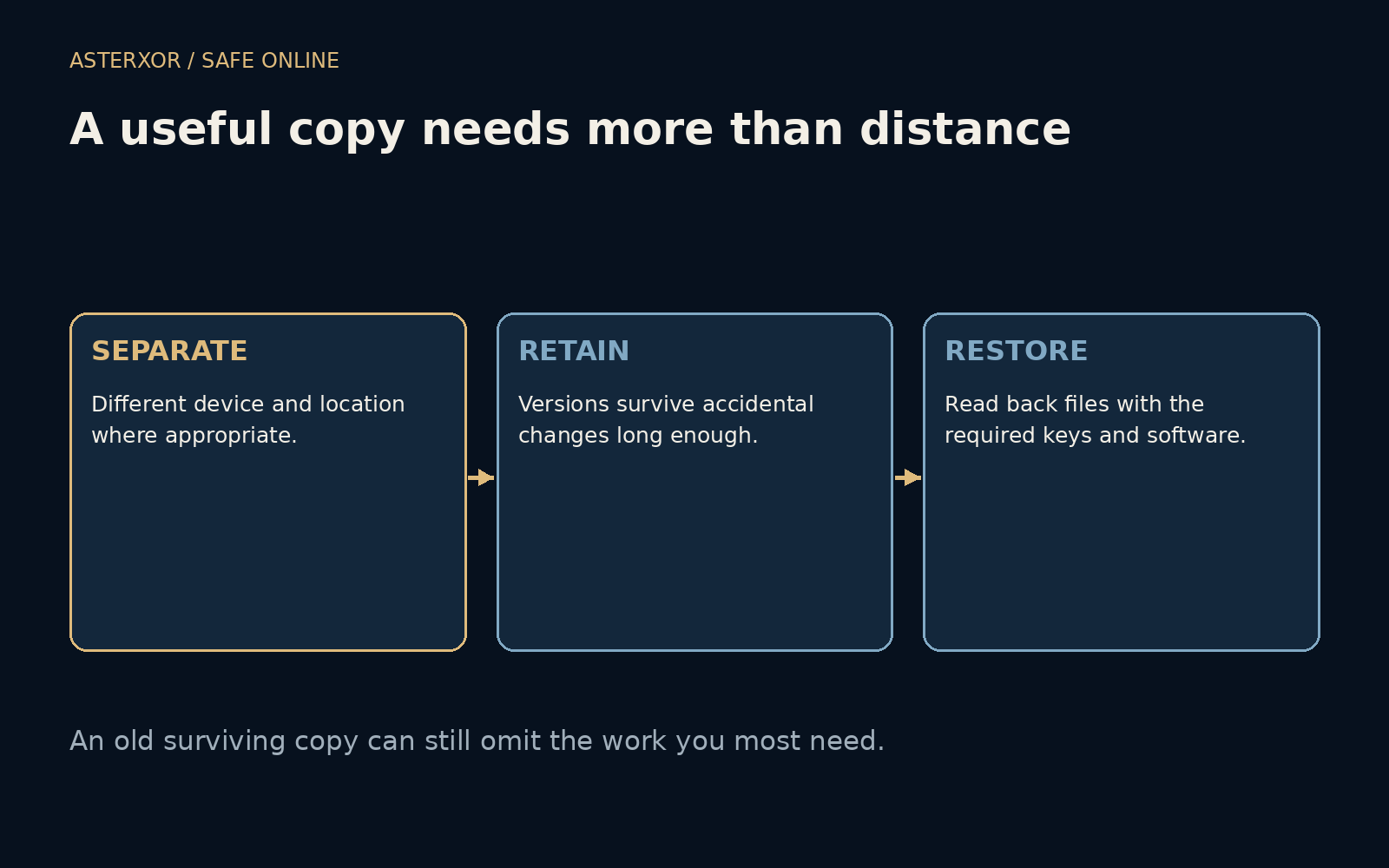
A surviving copy can still be too old
Imagine that the offline copy contains last month’s work but the lost device contains a week of new changes. The older copy is valuable, yet it cannot restore work that never reached it. Decide how much recent work you could reasonably afford to recreate. That choice should influence how often a backup runs and when you verify its completion.
Also consider encryption keys, account recovery and the software needed to open the files. A preserved archive without its decryption key may be unusable. Keep required access material appropriately protected and available through a separate route. Do not weaken encryption just to simplify the diagram; include its recovery requirements in the plan instead.
Rehearse a small recovery, not a disaster
Choose a few harmless representative files and restore them into a separate location. Check the names, open the contents and confirm that the version is the one you expected. This can expose a misunderstanding about folder selection or retention without overwriting the working files. A small rehearsal cannot prove every future recovery will succeed, but it tests more than a green status icon.
For important material, write down the practical route back: which copy to use, how to reach it and what is needed to read it. Keep that plan available when the main device is unavailable. Review it after changing services, devices or household arrangements. Backup design becomes useful when the person under pressure can actually follow it.
Further reading
CISA: Data backup options ↗NIST: Contingency planning guide ↗Original documentation and useful background.