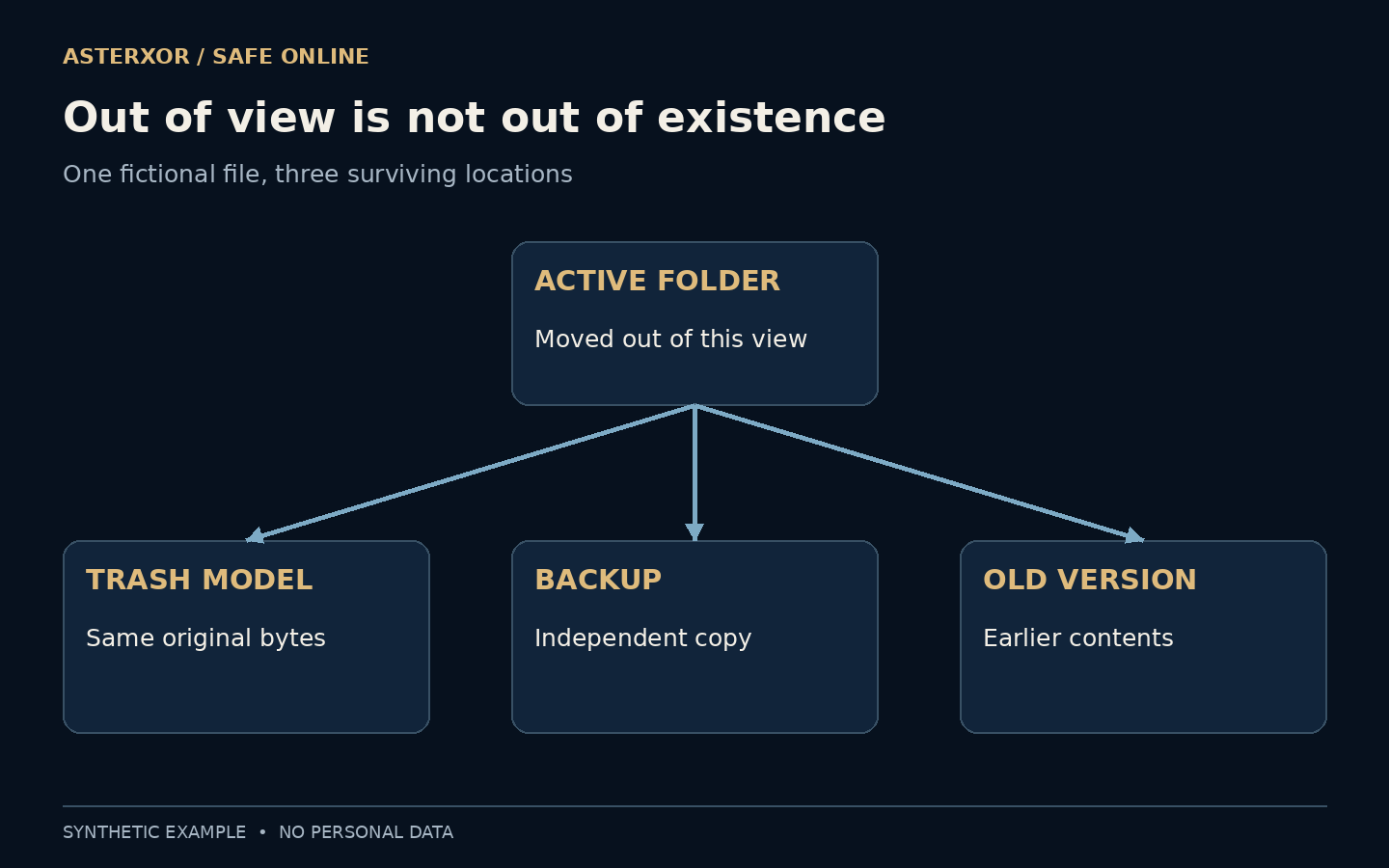
An empty folder is evidence about a folder, not about every copy of the information.
The delete button gives a wonderfully simple instruction to a complicated system. Depending on the app and storage service, it may move an item to a recovery area, remove a reference, or begin a process governed by retention rules. Meanwhile, an older version, backup or sent attachment can remain elsewhere. Understanding these layers helps with both recovering a mistake and deciding what privacy a deletion actually provides.
Ask where the information lives, not only where its icon went.
The folder is only one view
A file manager shows a particular set of names and locations. Removing a name from that view does not establish what happened to every byte or every copy. Some applications deliberately preserve a recovery window; others have different behavior. A successful delete message therefore needs context before it becomes a useful privacy claim.
For recovery, that distinction is reassuring: a mistake may still be reversible. For confidentiality, it asks for more care. A downloaded attachment, an exported PDF and a synced copy can share information without sharing a single deletion switch. Treat each location as a separate question rather than assuming the newest view describes the whole system.
We moved a file without destroying it
Our harmless fixture contained a short fictional note about a blue pot and one plant. We created an active file, a backup copy and an old-version copy. Then we moved the active file into an ordinary directory named trash-model. This was a controlled stand-in for a reversible deletion, not a test of a computer’s actual recycle bin.
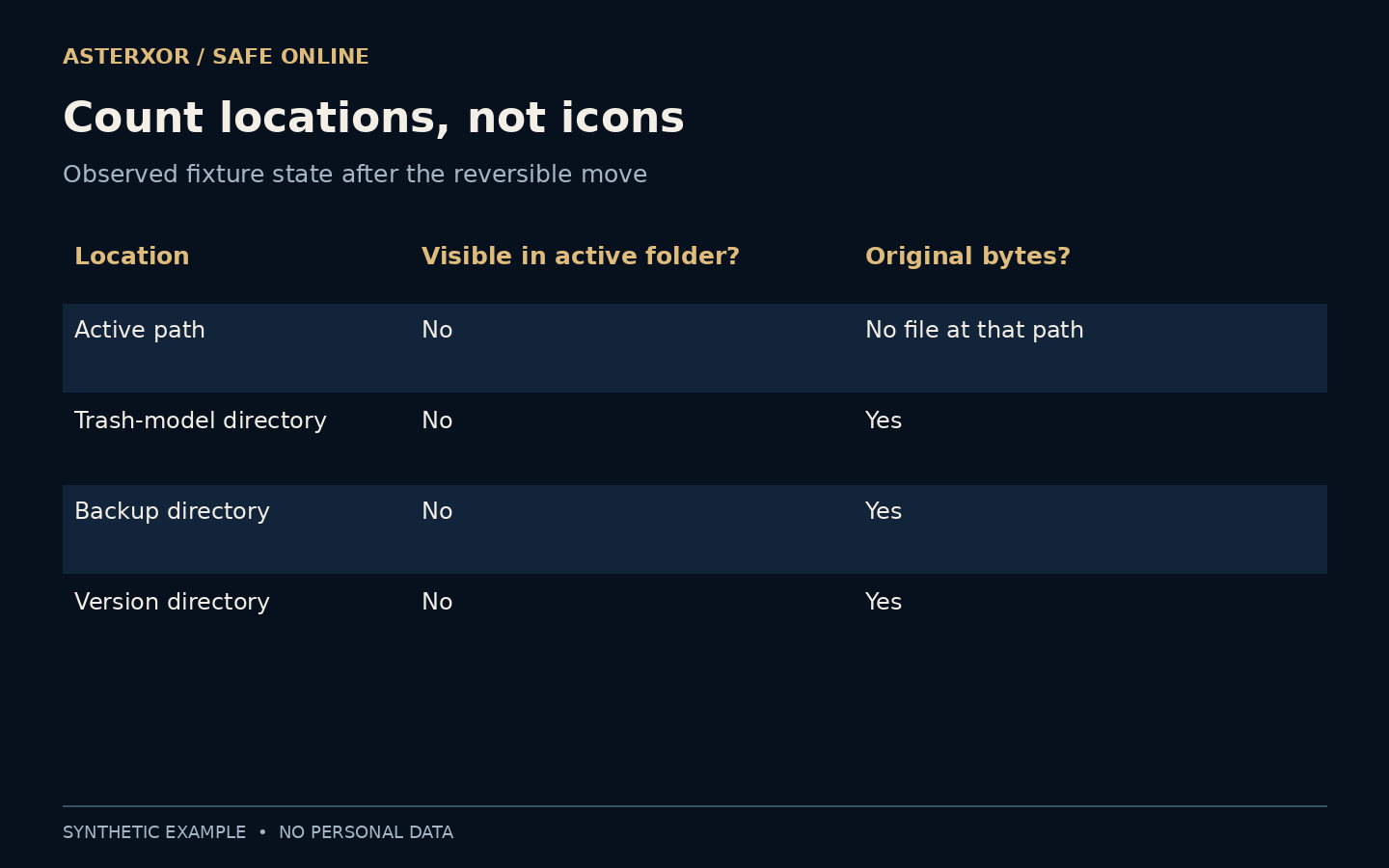
After the move, the active path was absent, but all three copies of the original content still existed: the moved file, the backup and the version. We read them directly rather than counting icons. The result is deliberately modest. It demonstrates that disappearance from one location can coexist with continued access elsewhere.
Recovery deserves a content check
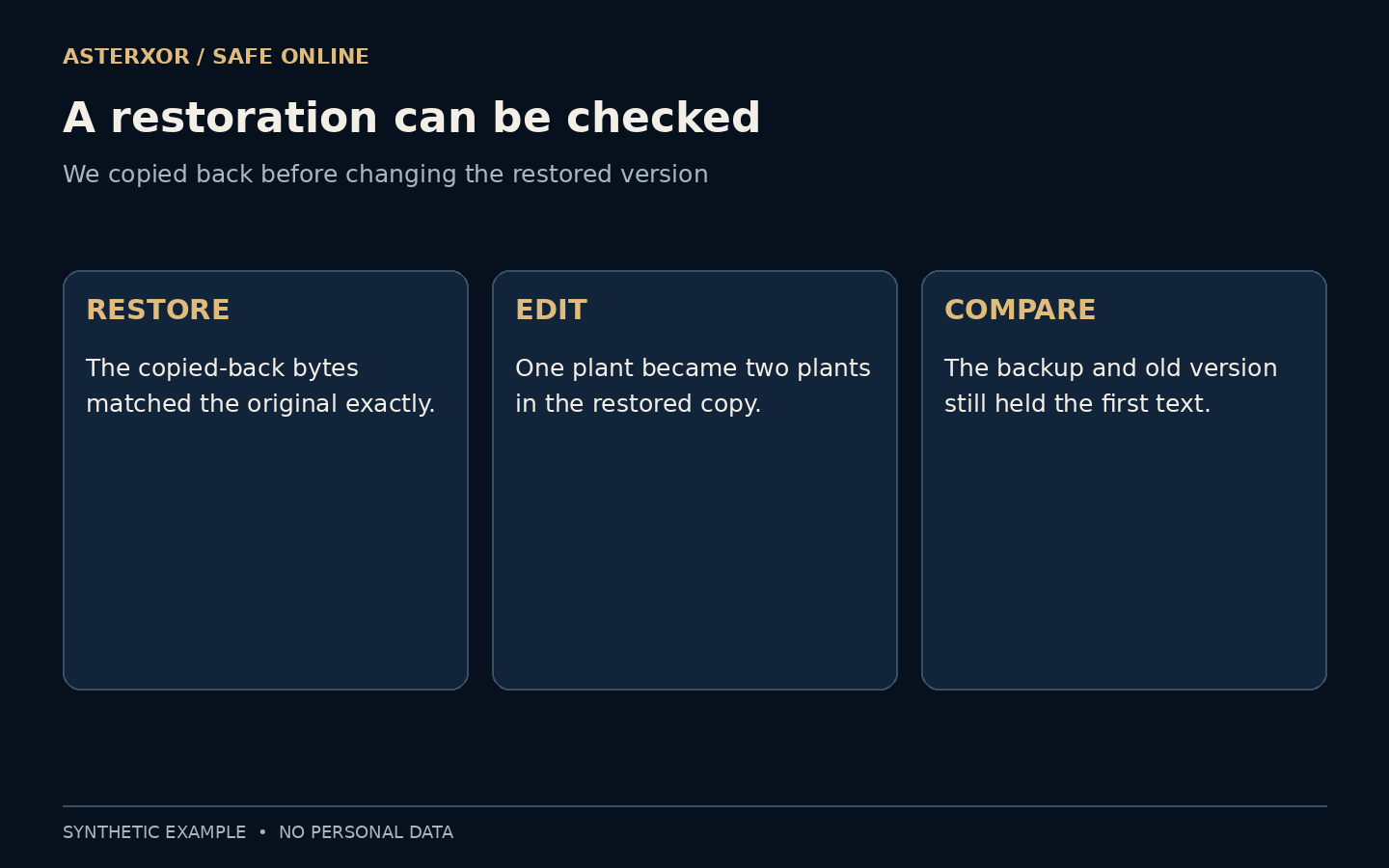
Next we copied the moved file into a separate restored folder. Its bytes matched the original exactly. We then changed only the restored note from one plant to two plants. The backup and old version still contained the earlier wording, and the two versions produced different SHA-256 hashes. Nothing was securely erased.
This separates two everyday problems: finding a file and finding the right version. A restored document can open successfully while still being older than you expected. Check its contents, completeness and relevant revision before overwriting a current copy. Keep the recovery output separate while you compare, especially when several people or devices have edited the same work.
Synchronization can spread a deletion
Synchronization aims to keep locations aligned. Depending on the service, deleting a synced file may remove it from other connected views too. That can be convenient, but it means several synced devices are not automatically several independent backups. A retained history or separate backup has a different role from another live mirror.
The opposite can happen with information already shared: removing your source file may leave someone else’s download untouched. A revoked sharing link can restrict future access through that link without recalling a copy already received. Look at the service’s current documentation and the specific sharing arrangement instead of assuming every recipient sees the same state you see.
Erasure is a different operation
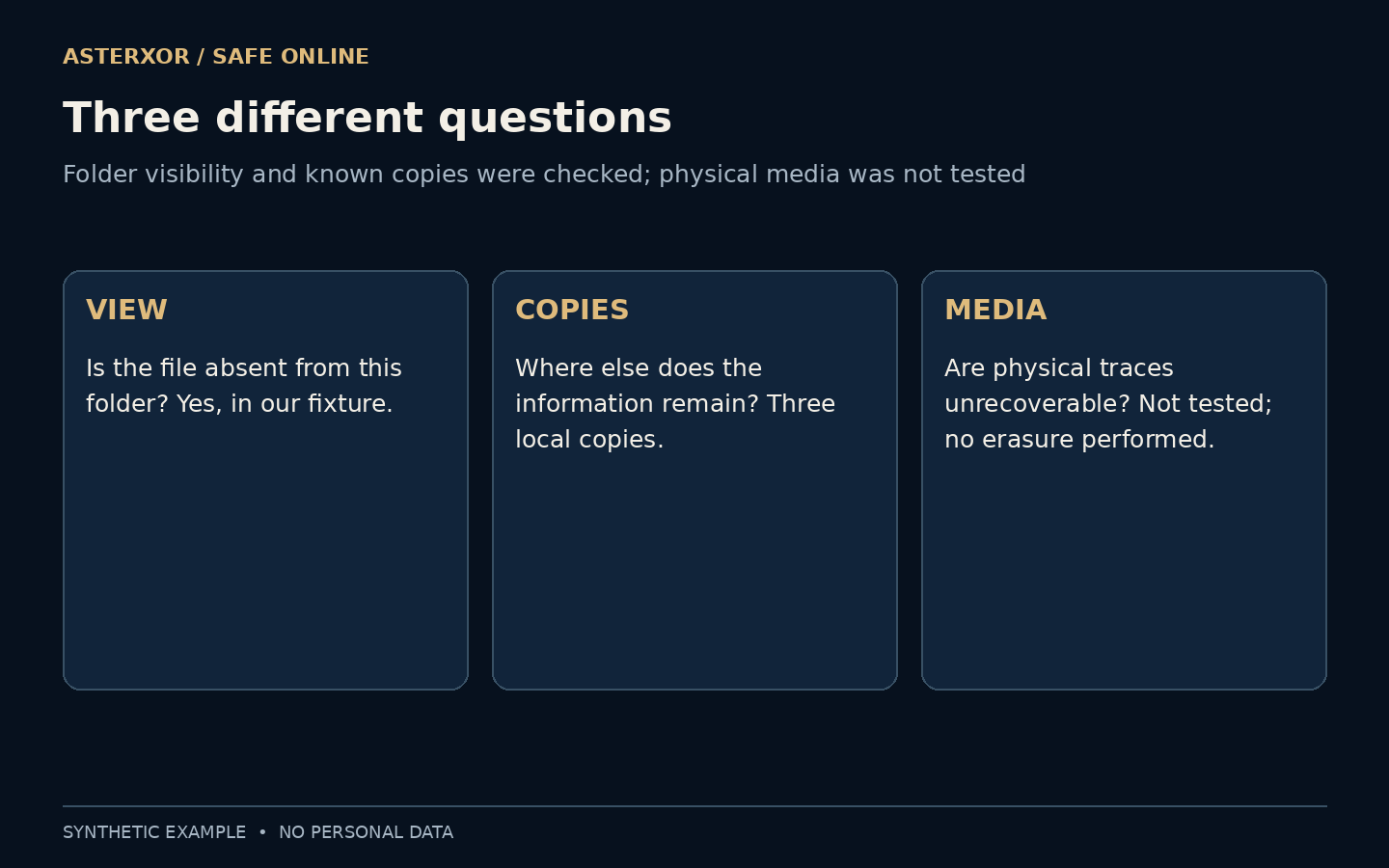
Our experiment never examined unallocated storage, flash memory, encryption keys or recovery tools. It cannot say whether deleted data on any real device is recoverable. Storage technology, encryption, backups and device-management policies all affect disposal procedures. Repeatedly overwriting a file is not a universal answer, particularly for modern storage and remote services.
If you are preparing a device for transfer, follow the manufacturer’s supported reset or disposal procedure and the requirements of your workplace where applicable. Confirm important backups first. Do not improvise destructive commands on the only copy of something valuable, and do not confuse a tidy folder with a verified disposal process.
Choose the goal before choosing the button
For an accidental deletion, start with the application’s recovery area, version history and known backups. Restore into a safe separate location when possible. For reducing exposure, list the active item, recovery areas, versions, backups, exports and recipients. The list need not be elaborate; its purpose is to stop a visible action from standing in for an invisible assumption.
Retention can be useful or required, so do not erase records indiscriminately. Decide which information should remain, who should reach it and what the service actually lets you control. A clear deletion request names the item and scope. A clear completion claim says which locations were checked and which remain outside your control.
Further reading
Microsoft Support: restore files deleted from OneDrive ↗Microsoft Support: restore a previous version ↗Python documentation: file copying ↗Original documentation and useful background.