You photographed the plant. The picture also photographed the room.
Attention naturally goes to the subject we meant to share: a new desk, a good meal or a small achievement. A recipient sees the whole frame. Screens, badges, envelopes and reflections can carry context that was never part of the caption. A quick background review is less about being suspicious of every object and more about choosing which parts of a private setting should travel with the image.
Review the edges with the same care you give the subject.
Ordinary objects can carry useful clues
A screen can contain an appointment, a delivery envelope can expose a destination and a badge can name an organization. A reflection may show something outside the area you consciously framed. Even when no single detail feels important, several details can provide more context together than you intended to share.
The right question is specific: does this recipient need this part of the scene? A private message and a public post have different audiences, and other people’s belongings or faces deserve consideration too. Removing file metadata does not remove visible information. The pixels themselves can still carry the detail you hoped would stay private.
Review according to the audience rather than assuming that every clue is equally consequential. A room number may be irrelevant in one private exchange but unnecessary in a public post connected to a known place. You do not have to identify every object or infer anyone’s identity. The safer editorial question is whether the extra context helps communicate the intended subject to these recipients.
Four deliberately obvious dummy labels
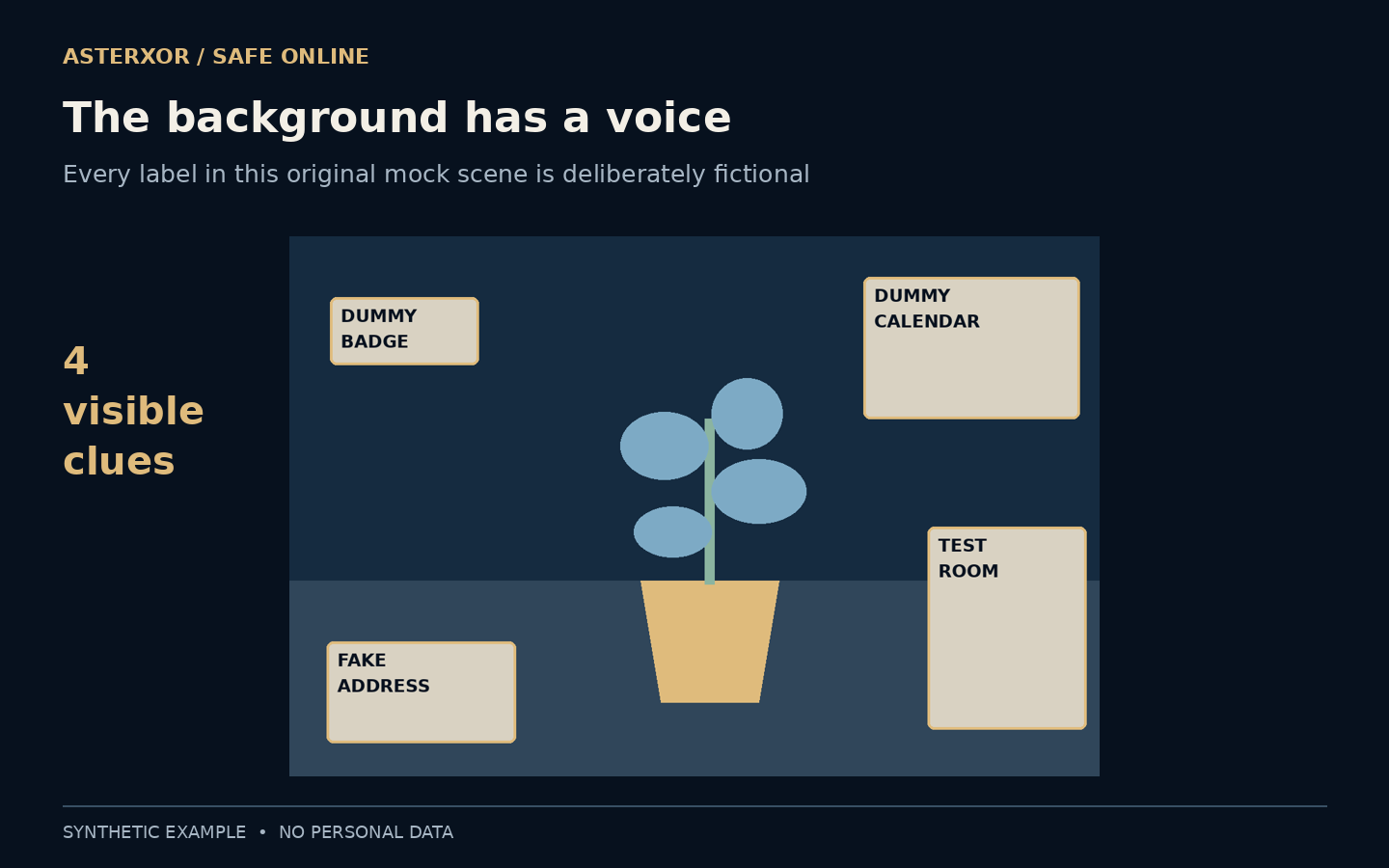
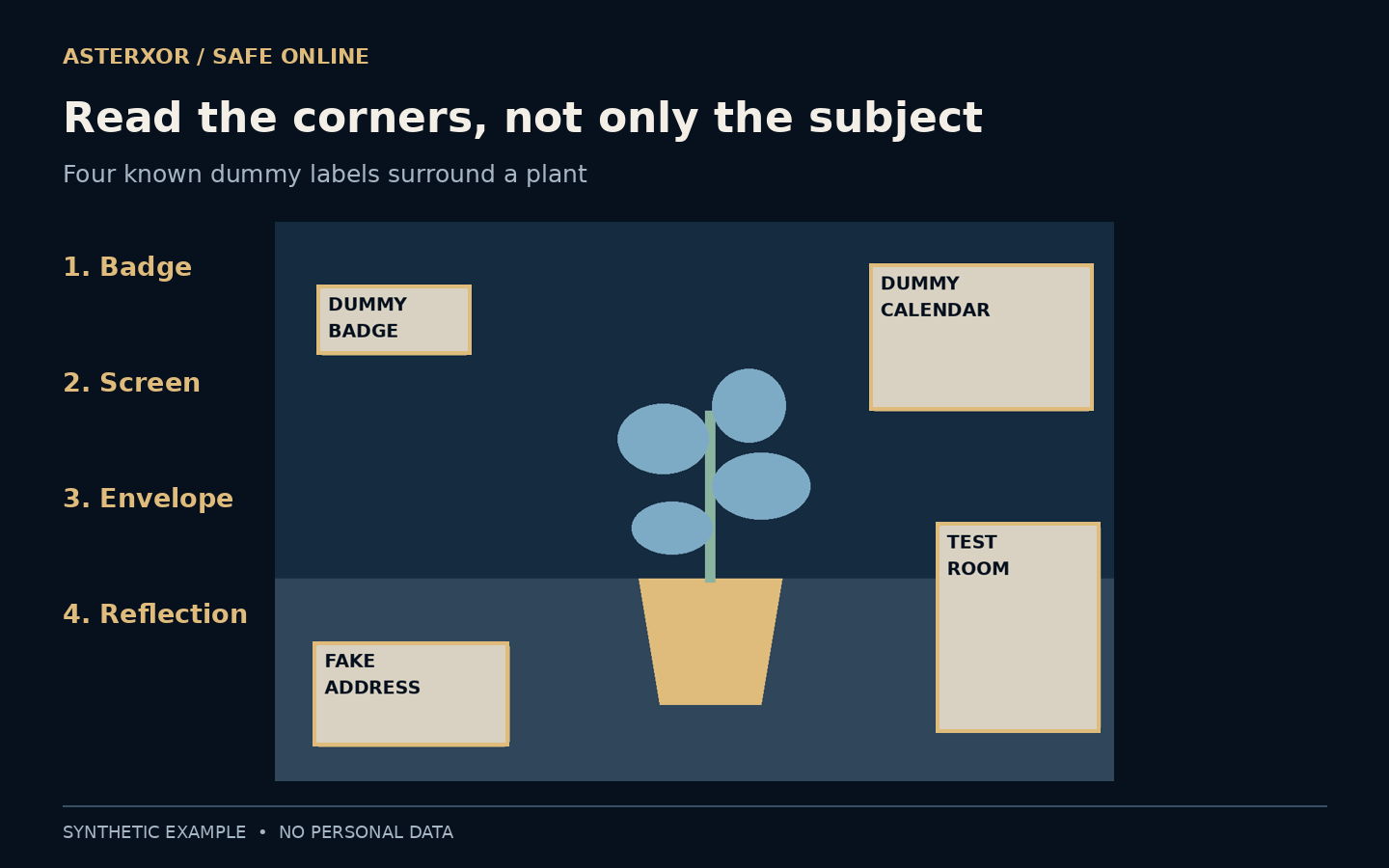
We drew a 1,200 × 800 scene with a plant at the center. Around it are four marked regions: DUMMY BADGE, DUMMY CALENDAR, FAKE ADDRESS and TEST ROOM in a simplified reflected panel. These are labels describing possible clue types, not realistic personal records or replicas of a real room.
Because we drew the scene, we know the exact rectangular bounds of every label. That lets us perform a concrete geometric check instead of pretending to have detected hidden personal information. The four regions are intentionally easy to see. Real photographs can contain subtler, smaller or partly obscured details that this exercise does not attempt to discover.
A known drawing gives us a reliable answer key, which is why this is an honest small experiment. In a real photograph there is no complete list of every potentially revealing feature waiting beside the image. A detector that recognizes text could still miss a reflection or contextual relationship. Our recorded count of four belongs to the four regions we deliberately drew, not to a general discovery capability.
A narrower frame excludes all four regions
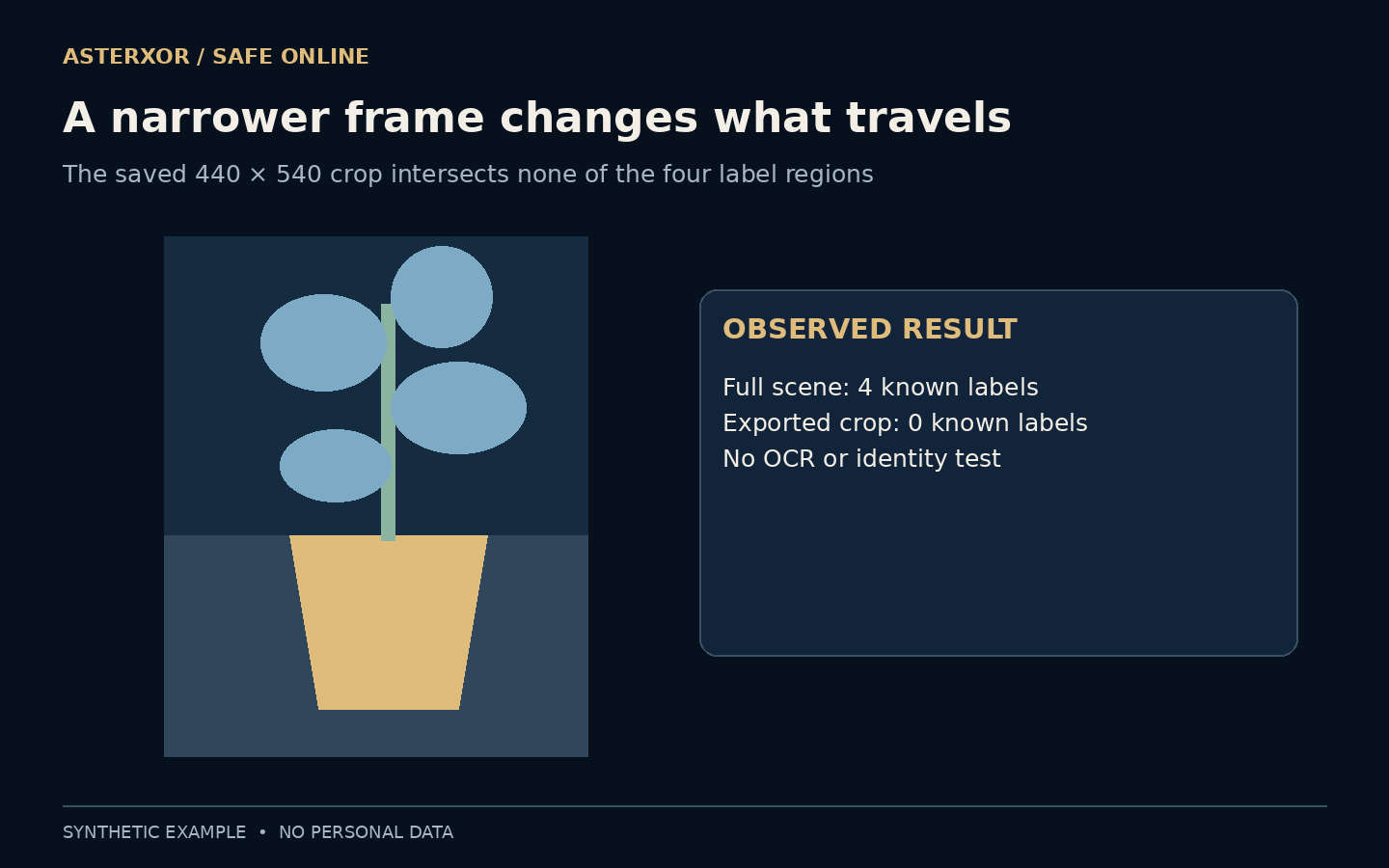
We saved a central crop from the drawing, 440 pixels wide and 540 pixels high. Its rectangle intersects none of the four known label regions, so the count falls from four in the full scene to zero in that crop. The exported PNG was reopened, and its pixel array matched the intended crop exactly.
That result applies only to these known rectangles. It does not certify that a real photo is anonymous or that cropping always removes every clue. It also says nothing about a different file format that preserves edit history or an application that shares an original alongside a preview. Check the actual outgoing copy rather than assuming the editing view is the final deliverable.
Hiding the screen leaves three other clues
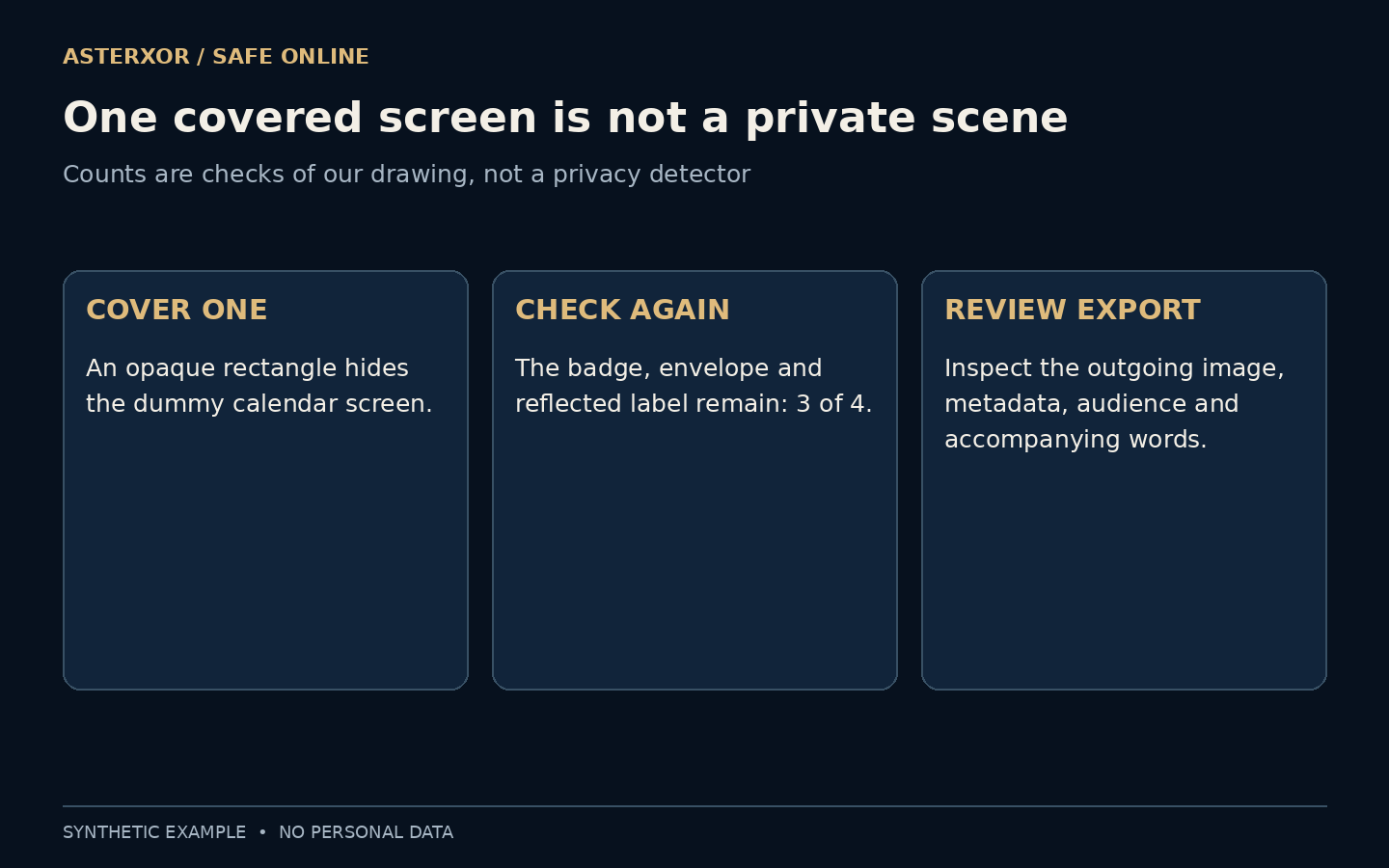
In a separate variant, we covered the entire dummy screen rectangle with opaque pixels. The covered region was uniform in the saved image data used for the check. The badge, envelope and reflected label were unchanged, so three of the four known clue regions remained. Fixing the first thing you notice can create a false sense of completion.
For a real sharing copy, review the rest of the frame after every edit. A decorative sticker, translucent marker or reversible editing layer may not provide the result you expect. Prefer a deliberate crop or a properly exported opaque removal where suitable, and inspect the finished image at a readable size. Our fixture did not test any photo app’s redaction controls.
The important property of an opaque removal is the outgoing pixel result, not the tool’s name. A marker can have partial opacity, and a shape can remain an editable layer until export. Our separate pixel check below isolates opacity in a simple synthetic label. It does not recommend testing a sensitive photograph by attempting to reconstruct what is under a mark.
The caption and audience still matter
A clean-looking image can acquire identifying context from its filename, accompanying text, account profile or earlier posts. A narrow crop of a room may still be recognizable to someone who already knows it. Background review therefore works best alongside a check of metadata and the information supplied by the sharing channel.
Consider who can view, save or forward the image, not only who you initially address. Ask before exposing another person’s private information, and avoid assuming a limited audience makes every detail appropriate. Privacy settings are useful controls, but a recipient can sometimes create a new copy outside the original setting. Choose the content with that possibility in mind.
Consider the surrounding post as another frame. A caption naming an event, a location tag or a previously shared room photo can add context that the crop itself lacks. You may choose to remove a location tag, simplify the caption or share with a narrower audience instead of making increasingly complicated edits. None of those choices makes recipients unable to save a copy, so select the content deliberately.
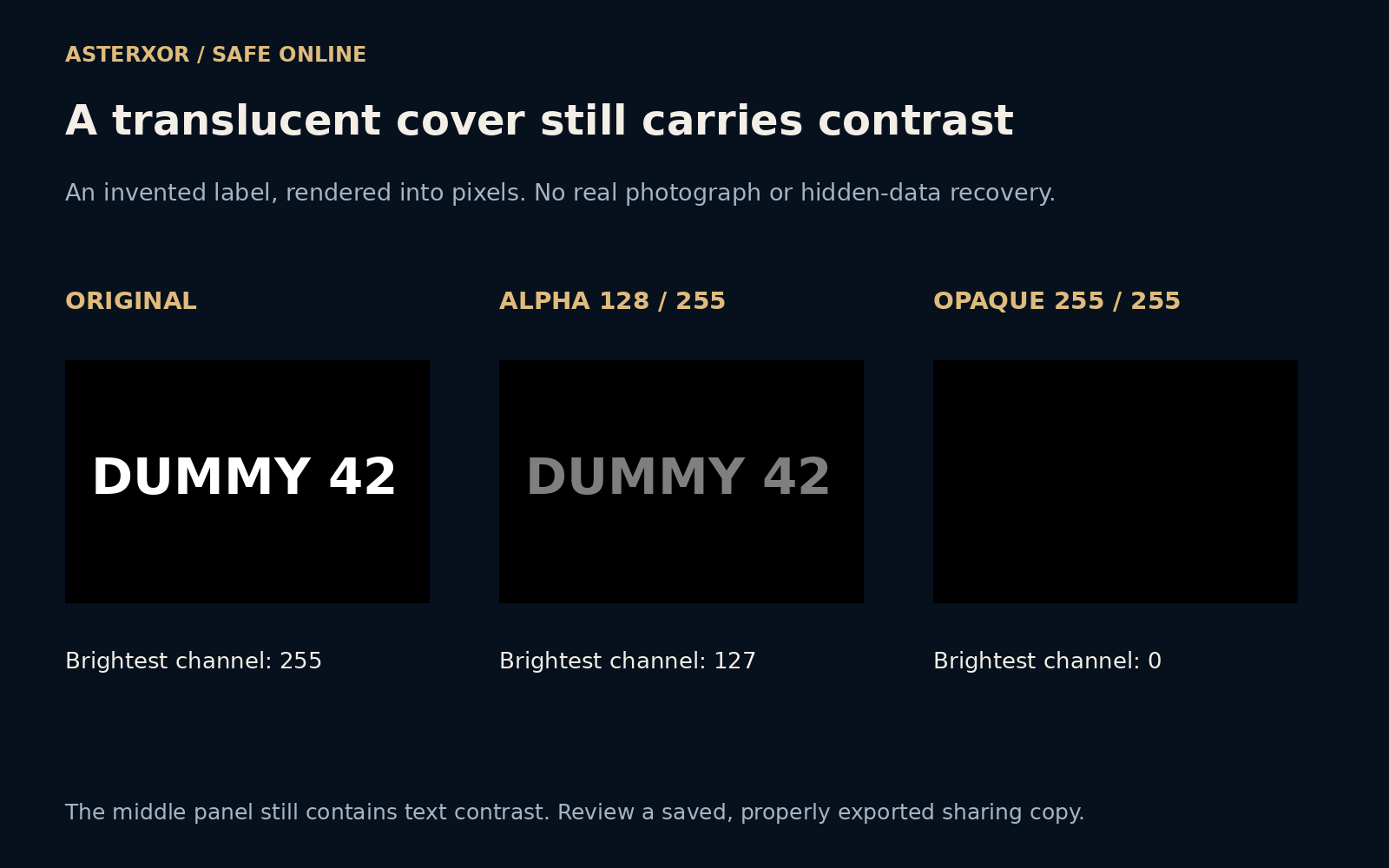
A dark cover can still contain a readable difference
For an additional fixture, we drew DUMMY 42 in white on a black background. Its brightest channel value was 255. Placing a black layer over it with alpha 128 on a zero-to-255 scale left a brightest value of 127. The background stayed black, so the text still had contrast. This was a rendered, roughly half-opacity cover, not a simulation of extracting a hidden text layer.
An alpha of 255 produced an opaque black result with a maximum channel value of zero throughout this small fixture. We saved and reopened both outputs and confirmed exact pixel agreement. Seven new assertions checked the values, dimensions and exports. They show why a translucent marker is different from an opaque pixel replacement, while saying nothing about private details outside the covered region.
For an actual sharing copy, use an appropriate opaque removal or a crop, export the intended result and reopen that file at a readable size. Check whether the subject still makes sense and whether other details remain around the edit. Retaking the picture after moving an unnecessary object may be simpler. Do not treat this label experiment as proof that blurring, a screenshot or any particular photo app always produces a private file.
Scan in a repeatable order
Before sending, look once at the center, then around each edge, then at screens and reflective surfaces. Read visible text rather than treating it as texture. If a detail is unnecessary, consider moving the object and taking another photo; changing the scene can be simpler than repairing a complicated image afterward.
Finally, open the sharing copy itself and check both the intended subject and the edits. Make sure the picture still communicates what you wanted, without carrying avoidable extra context. Our four-label drawing is a practice surface, not a detector. The transferable skill is a deliberate second look at the parts of an image your first look skipped.
Further reading
NCSC: social media and your digital footprint ↗UK Ministry of Defence: pictures, videos and sharing ↗Pillow documentation: Image operations ↗Original documentation and useful background.