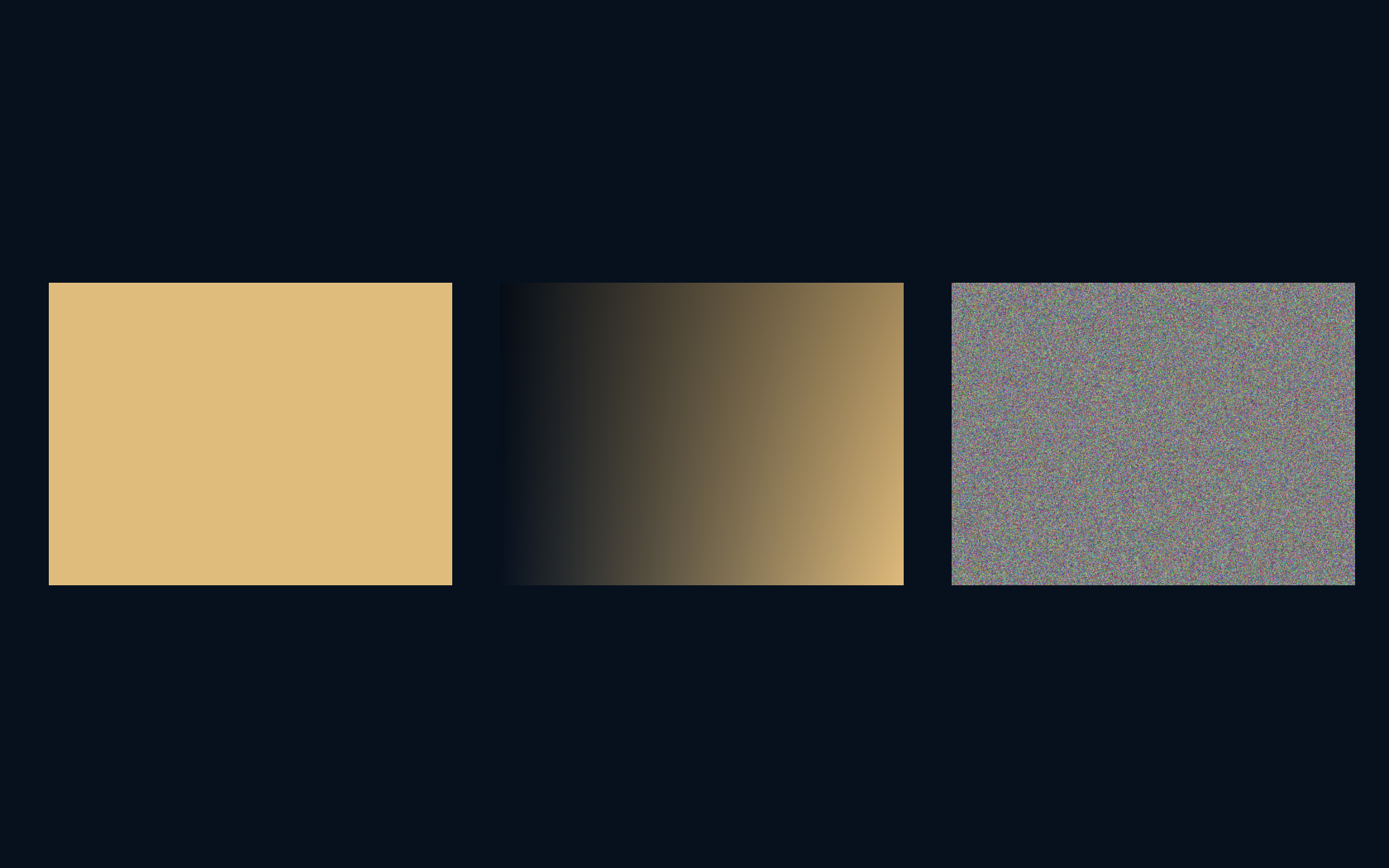
Three images. Exactly 786,432 pixels each. PNG files from four thousand to more than two million bytes.
A flat gold field, a smooth gradient, and a cloud of random color share the same 1024 × 768 canvas. Save them with identical settings and the files diverge dramatically. The missing ingredient in “How big is this image?” is the structure of its contents, and what the format is allowed to discard.
The canvas has a size. Its description has a cost.
The one size dimensions can tell you
A 1024 × 768 image contains 786,432 pixels. With three eight-bit color channels, the raw RGB sample array occupies 2,359,296 bytes: one byte each for red, green, and blue at every location. That calculation is exact for this representation. It does not include a file header, a color profile, an alpha channel, or an application’s extra working memory.
The saved file is another representation of those samples. It may describe repeated patterns compactly, change how colors are encoded, or throw away information. Pixel dimensions therefore set an important baseline without determining the downloaded byte count. A file can be much smaller than its decoded samples, and an unhelpful input can even make a lossless file slightly larger.
Repetition gives PNG something to work with
PNG preserves the decoded pixel values in this experiment. Its filtering stage can turn predictable changes between neighbouring samples into easier-to-compress data, followed by lossless compression. A flat field offers abundant repetition. The gradient contains structure too, although small row-to-row changes and rounding make its encoded description less trivial than “fade from here to there.”
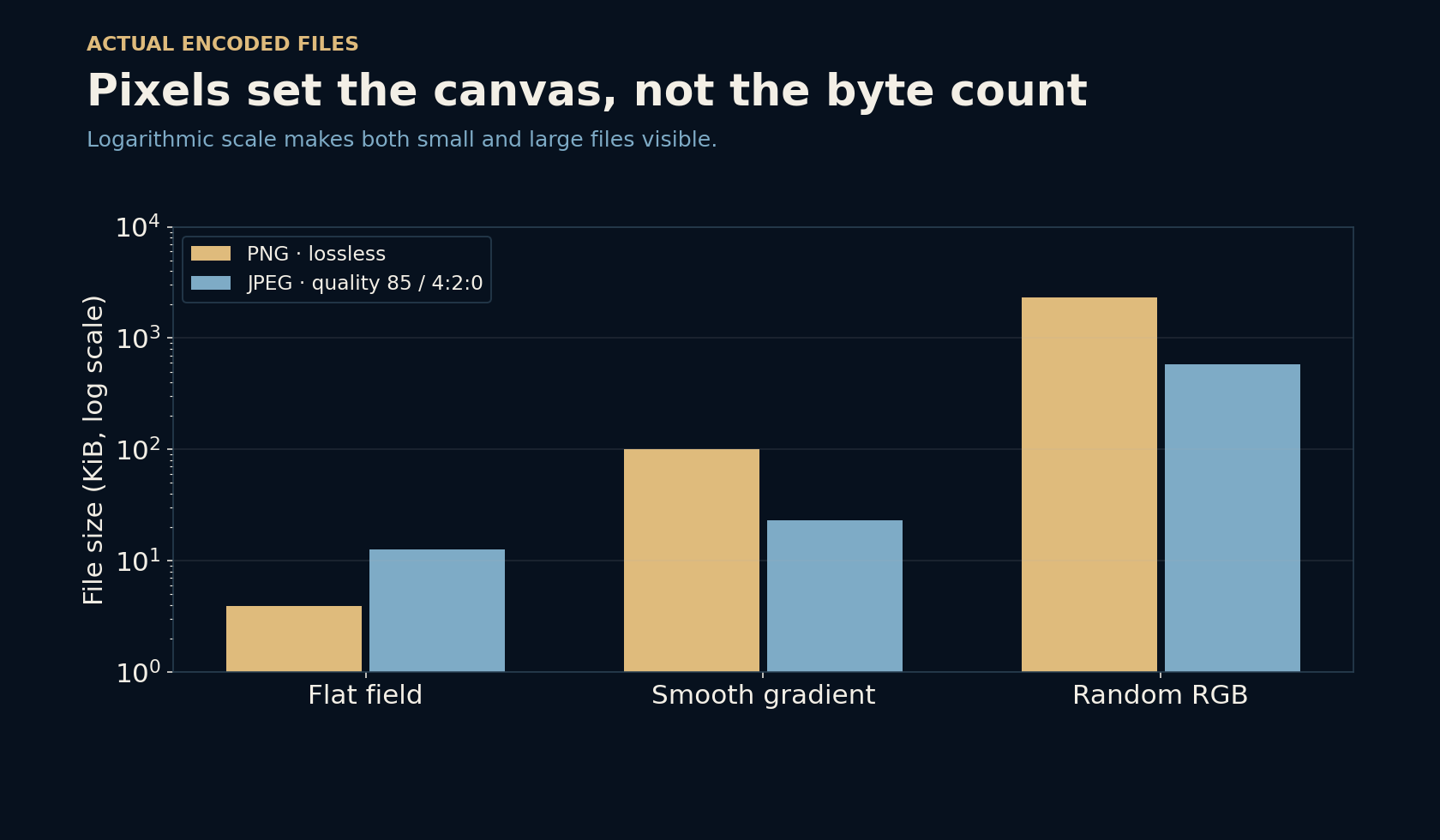
The measured PNG files were 4,025 bytes for the flat field, 102,469 for the gradient, and 2,363,424 for random RGB. All decoded exactly to their source arrays. The random image supplies little useful predictability, so its PNG is slightly larger than the raw RGB array after encoding overhead.
JPEG changes the bargain
The JPEG files were 12,917, 23,726, and 594,655 bytes at quality 85 with 4:2:0 chroma subsampling. JPEG is larger than PNG for the flat field here, while it is smaller for the other two images.
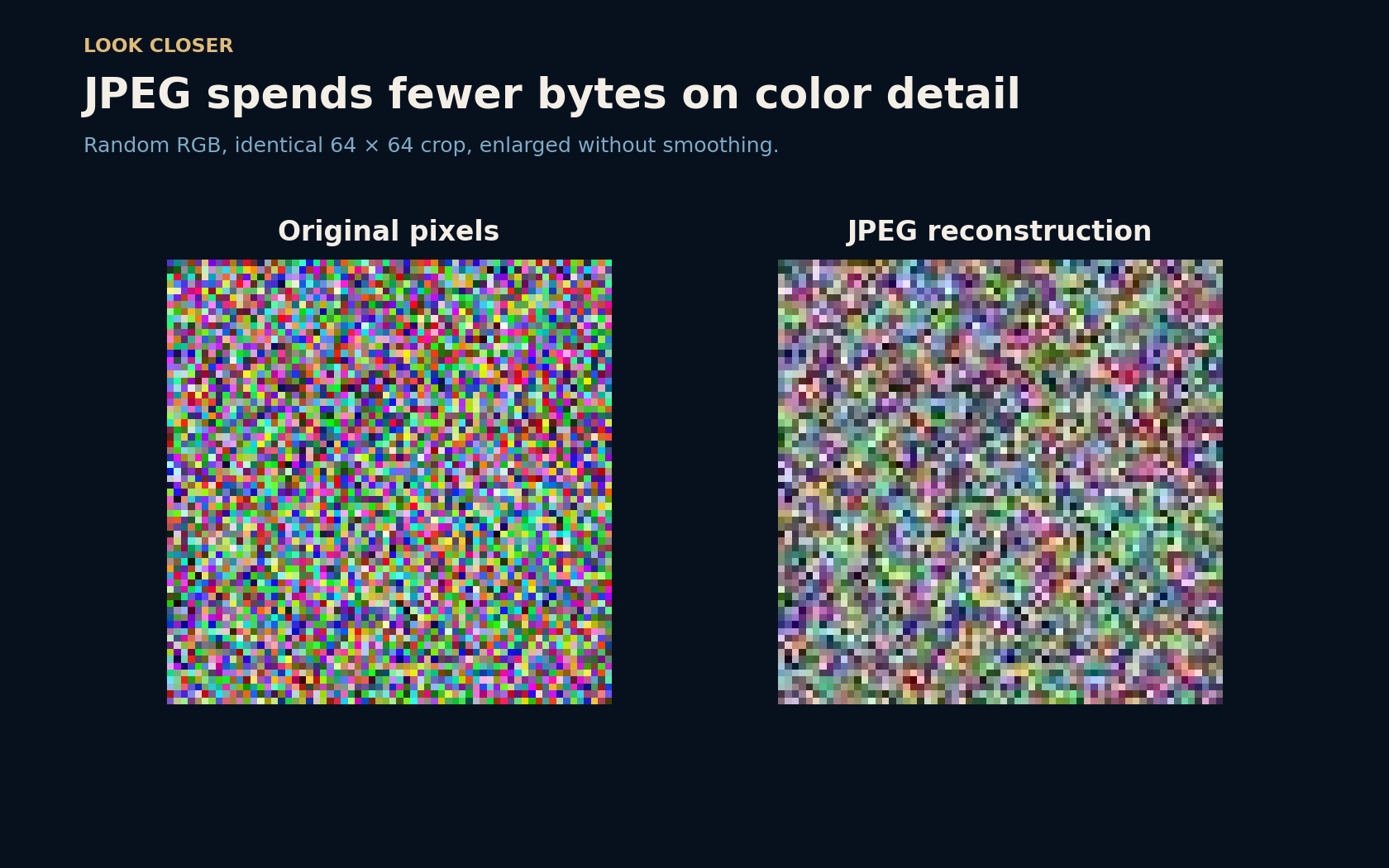
JPEG typically separates brightness-like information from color differences, reduces color resolution when subsampling is enabled, and quantizes transformed block coefficients. The decoded pixels need not match the originals. The enlarged random-color crop makes this visible: the bright, independent color specks become a different, more muted texture. Fewer bytes bought a changed image, not a free reduction in the cost of preserving every sample.
Quality 85 does not mean 85 percent intact
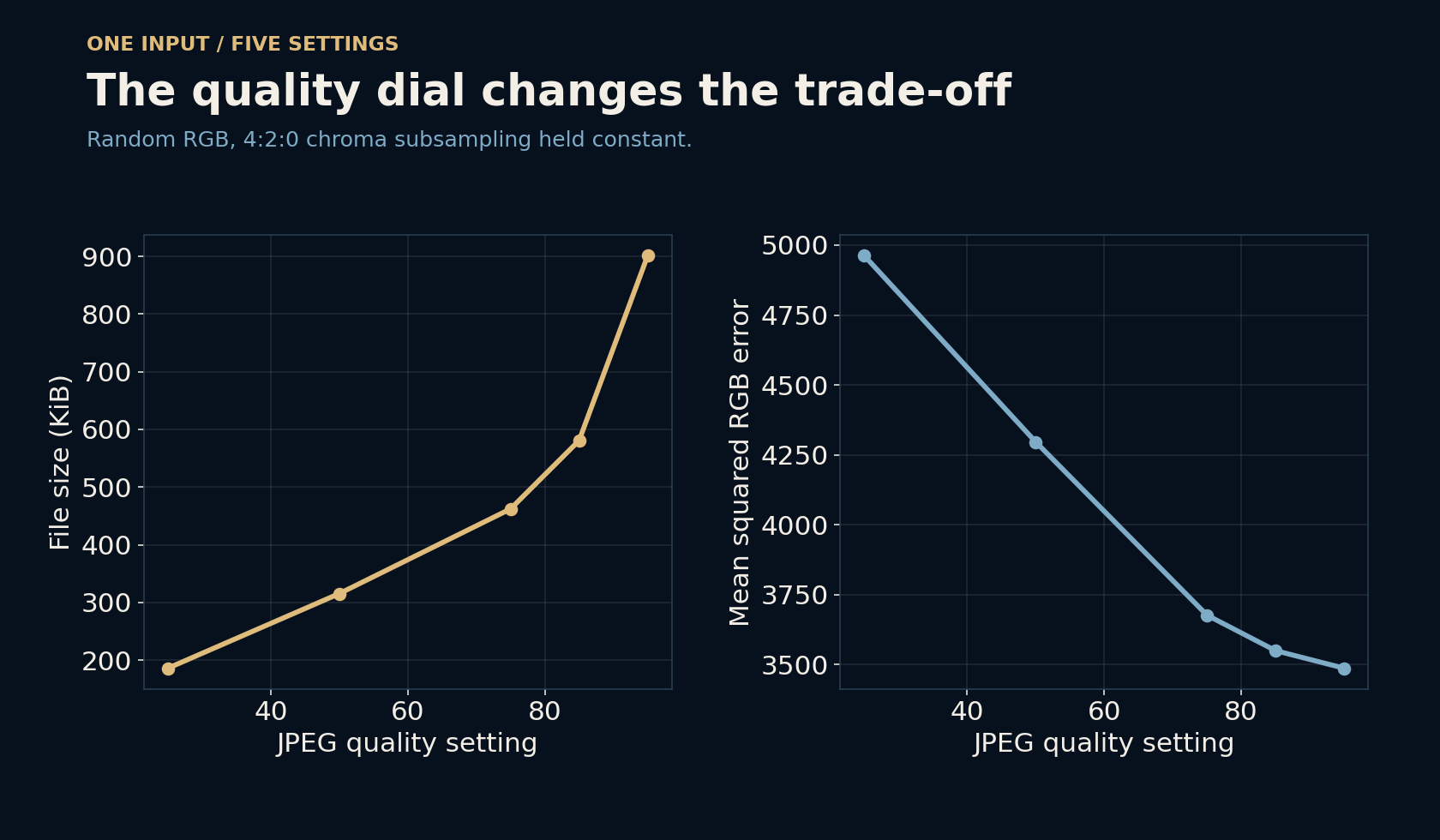
An encoder’s quality setting controls a trade-off; it is not the percentage of original information retained or a promise about what a viewer will notice. On the random RGB source, increasing the tested setting from 25 to 95 grew the file from 190,431 to 922,548 bytes. The mean squared RGB error fell from about 4,962 to 3,487.
That error is simply the average squared difference between original and decoded channel values. It is useful for checking that samples changed, but it is not a perceptual verdict. Here chroma subsampling stayed at 4:2:0 even at quality 95, so raising the quality setting did not restore the source’s full color resolution. Other encoders and settings can behave differently.
Looking right takes more than preserving numbers
A lossless round trip verifies sample values, not the entire viewing experience. A color profile tells a display system how those values should be interpreted. Metadata, orientation, transparency, bit depth, and a viewer’s color handling can also matter. These synthetic samples contain no added EXIF or ICC profile, so this experiment does not evaluate a color-managed photographic workflow.
Nor is random RGB a representative photograph. It is a useful stress case because neighbouring pixels intentionally tell you almost nothing about one another. A portrait, screenshot, scanned drawing, and noisy night scene have different structures. Their size and quality trade-offs should be judged on the actual content and destination rather than borrowed from this one chart.
Ask what needs to survive
For a crisp diagram or interface capture, preserving edges, text, and transparency may matter more than shaving off the last few bytes. For a photograph, a carefully checked lossy export may be a sensible exchange.
Compare exports at the size people will actually view, inspect important detail, and measure the resulting files. Keep the original when repeated editing is likely. Resizing can reduce the number of samples; compression changes their description. Knowing which lever you are pulling makes “make it smaller” a much clearer request.
Further reading
W3C PNG specification: filtering and compression ↗Pillow image file formats: JPEG and PNG save options ↗JPEG committee: JPEG 1 overview ↗Original documentation and useful background.