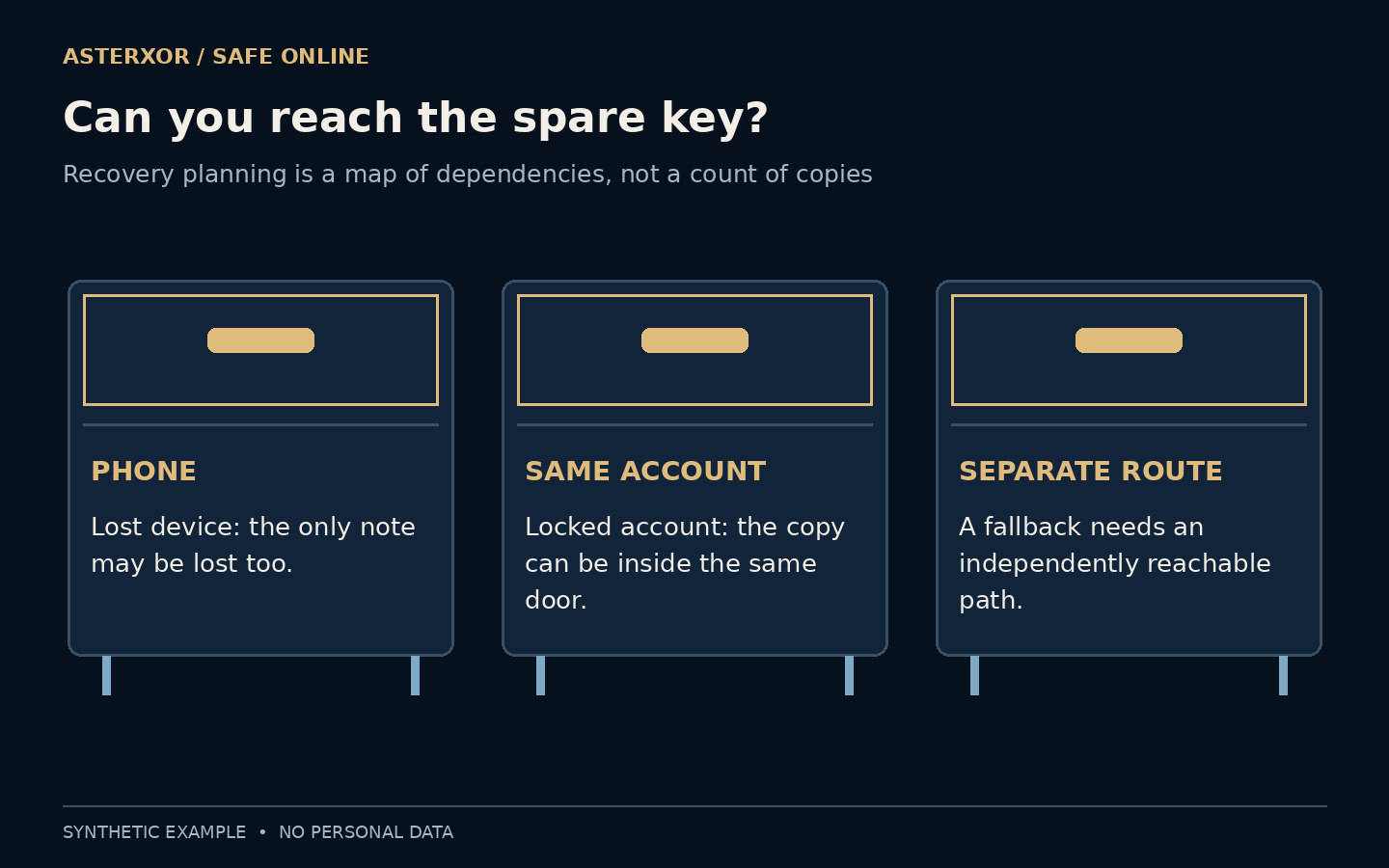
The backup can be perfectly preserved and still be on the wrong side of the locked door.
Strong sign-in protection introduces a practical question: what happens when your usual device or factor is unavailable? Some services provide recovery codes for precisely that situation. Their value is not just that they exist. They need to be current, protected and accessible through a route that does not depend entirely on the thing you have lost. Planning that route is possible without displaying or testing any real code.
Count independent routes, not just saved copies.
A powerful exception needs careful storage
A recovery code can provide an alternative when the usual second-factor path is unavailable, depending on the service. Because it can help regain access, treat it as a secret rather than an ordinary note. Do not send it to someone claiming to be support, include it in a screenshot or paste it into an unfamiliar form.
Service rules differ. Google documents single-use backup codes and replacement sets that invalidate the previous set. GitHub likewise documents one-time recovery codes and secure storage. Those examples explain why a saved page is not automatically a usable fallback forever. Follow the current instructions for the specific account rather than assuming every service has identical recovery behavior.
Do not confuse an account recovery code with an ordinary reference number or a code shown for a different sign-in. The issuing service determines what the value authorizes and how it should be used. A label such as backup does not make it less sensitive. In a planning note, identify the service and storage route without recording the secret itself or sending it to someone who offers to check it.
What must work before the backup works?
Imagine the only copy is a note on the phone you cannot access. It may be neatly filed yet useless for that failure. Or imagine the copy is stored in the very account you are trying to recover. Opening the storage then depends on completing the recovery, while completing the recovery depends on opening the storage.
Write these dependencies down with labels, not secret values. Device access, account access, a password-manager unlock and physical access to a location can each matter. Protected storage is important, but its unlock path needs to be understood. A password manager can be a suitable place when its independent recovery and access arrangements fit your situation.
Distinguish losing a device from losing an account, and losing access to a location from destruction of what is stored there. A paper copy can still exist while the room is unavailable. A synchronized vault may exist on several devices while every unlock route depends on the same missing factor. Clear failure descriptions stop a count of copies from hiding a shared dependency.
Copies survive different events
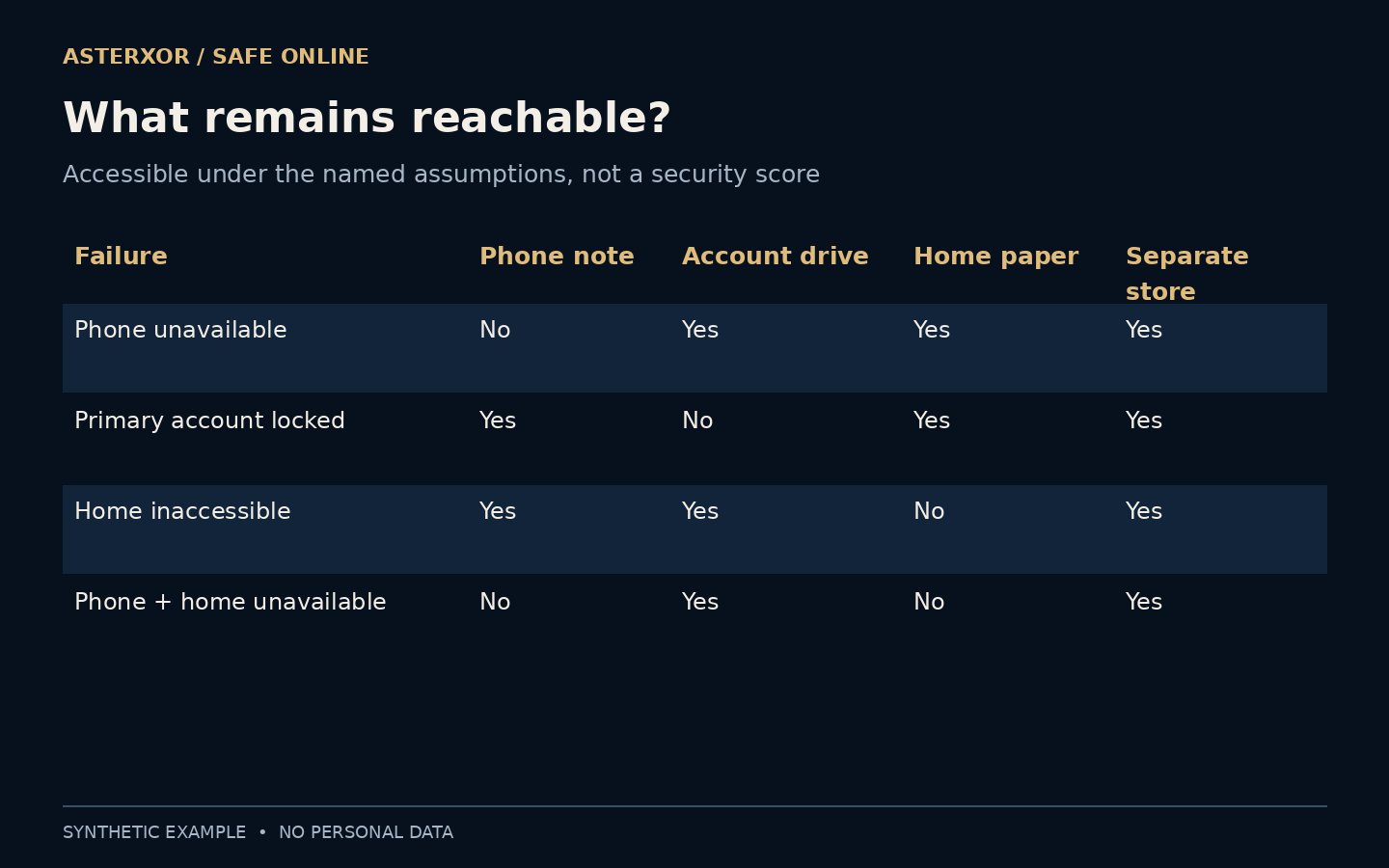
Our local model compared four storage labels across four assumed failures: an unavailable phone, a locked primary account, an inaccessible home and an unavailable phone together with an inaccessible home. A phone-only note failed the phone scenario. A same-account drive failed the account-lock scenario. A home paper copy failed the home-access scenario.
Combining the phone note with the home copy still left zero accessible copies in the combined phone-and-home scenario. The separate-storage column survived all four only because we explicitly assumed its dependency remained available. That is a statement about the model, not proof that any real storage choice is immune to theft, outage or other failure.
More copies create more decisions
Adding another copy can improve availability while increasing the number of places that must be protected. A plain note in a shared folder might be convenient but expose a recovery path to other people. A paper copy can avoid some digital dependencies, yet physical access, damage and whether it is still current become practical concerns.
There is no single drawer that fits everyone. Consider who can access the storage, which failure it survives and how you will recognize the right account and current set without unnecessarily exposing the values. Avoid keeping all fallback routes inside the same unavailable device or locked account simply because the folders have different names.
Before adding a storage location, ask two questions together: can you reach it during the failure you are planning for, and who else could reach it during ordinary life? Moving a secret to a broadly shared folder might improve availability while creating an unacceptable audience. The right trade-off depends on your situation. Our model counts accessibility under assumptions and assigns no numerical security score.
A recovery plan can go stale
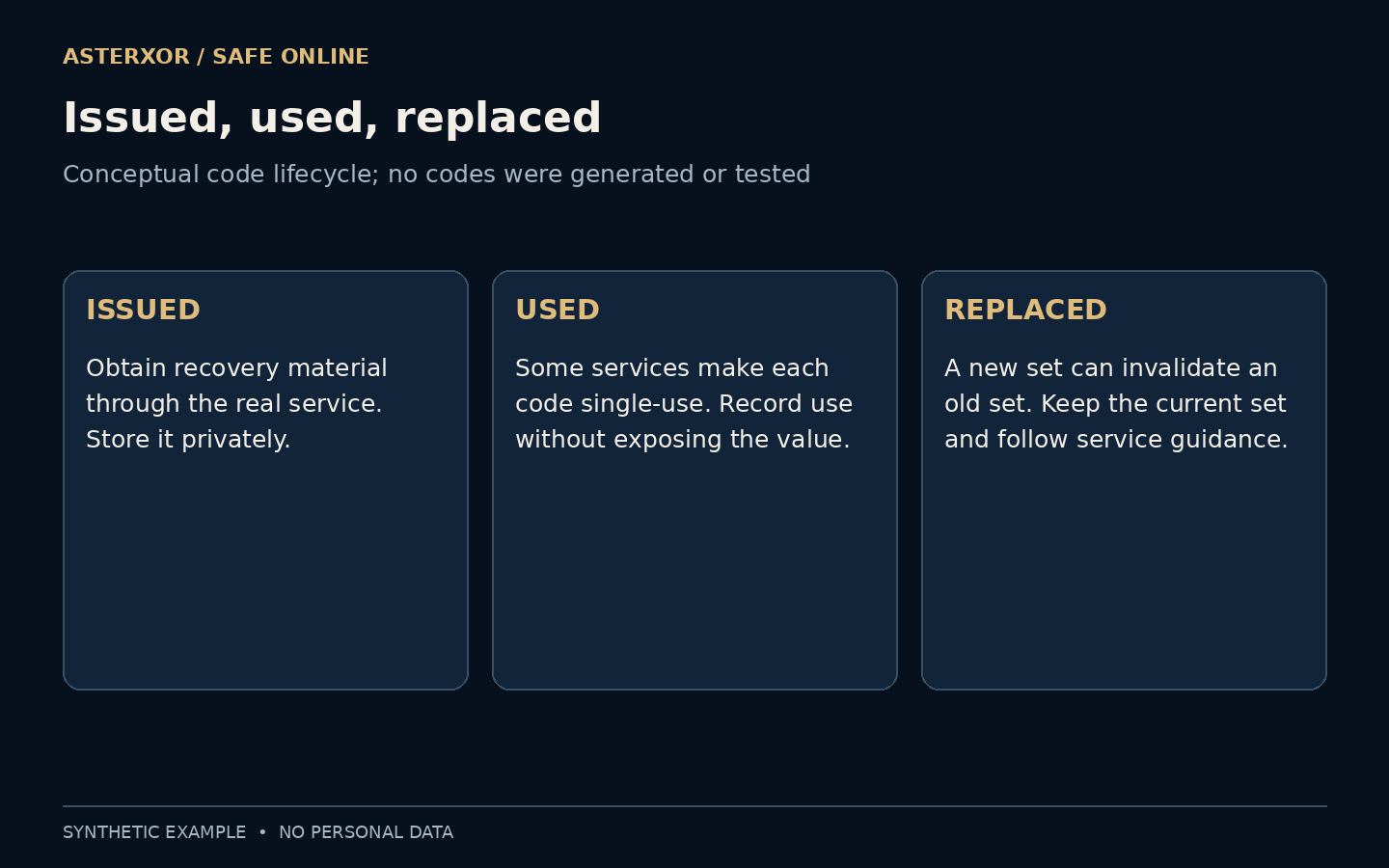
Some services make a code unusable after one successful use and invalidate an old set when a new set is issued. Follow the service’s recordkeeping guidance so you do not rely on a used or superseded code in an emergency. Keep any labels clear enough to distinguish accounts without turning the label itself into another public disclosure.
If you suspect the recovery material has been exposed, reach the service through a known route and follow its replacement and account-review process. Do not test a suspected leak by sharing the values with another site. Our diagram describes this lifecycle conceptually; no issuance, replacement, revocation or account recovery was performed.
After a device change, check the instructions and labels while everything still works. The useful rehearsal is knowing where the current material is and what would unlock its storage, not consuming a one-time code just to see whether it works. If you intentionally replace a set through the service, update your protected records as part of that supported process rather than leaving several ambiguously labeled versions.
A recovery route needs somewhere to begin
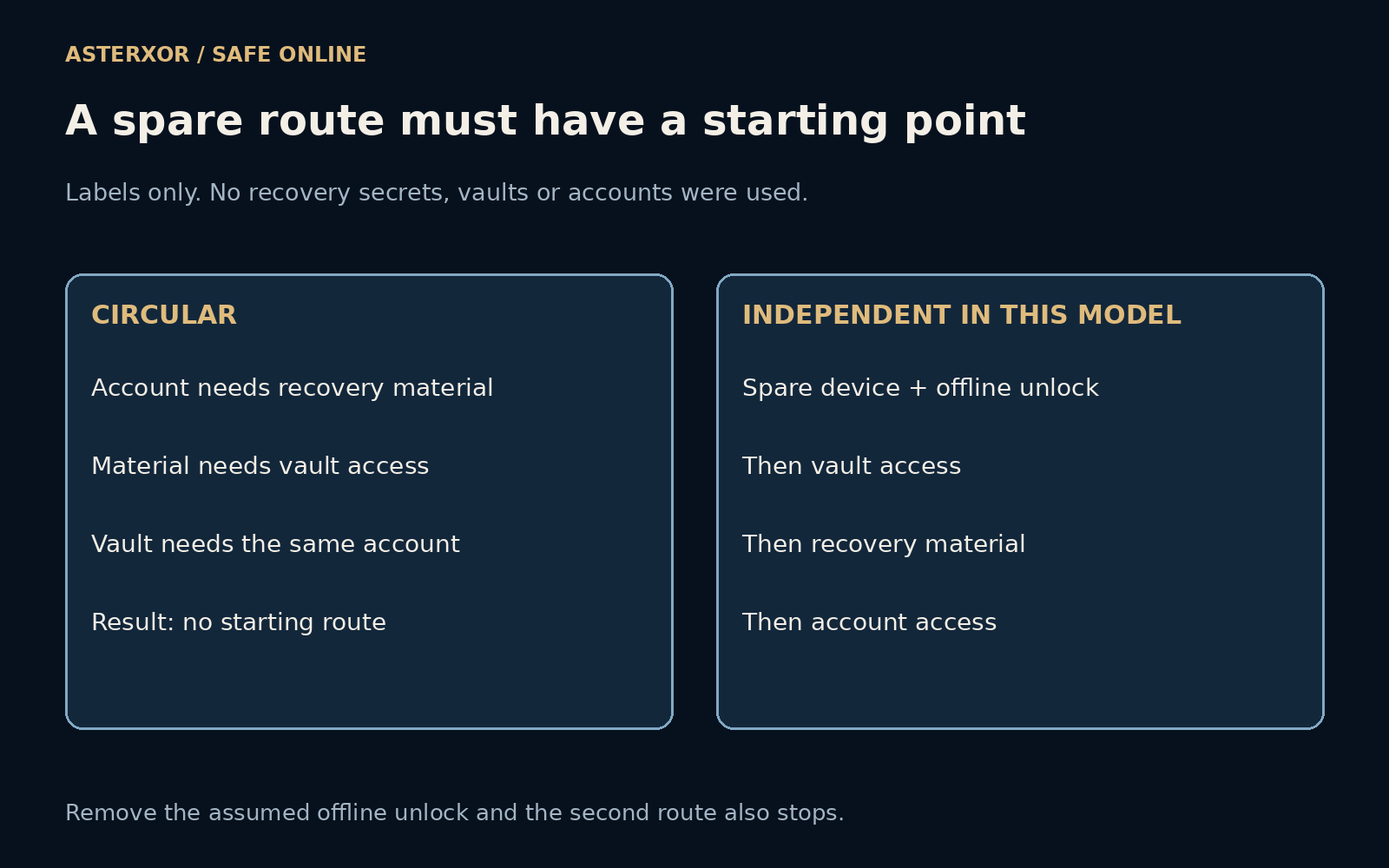
The added model draws a circular route: account access requires recovery material; the material requires vault access; the vault requires the same account. Starting with a spare-device label and an offline-unlock label does not help that particular rule set, because neither breaks its circle. The calculation reaches no recovery stage. This is a deliberately specified dependency example, not a description of how every password manager works.
In a second rule set, vault access requires the spare device and offline unlock instead of the locked account. With both assumed available, the calculation reaches three additional stages: vault access, recovery material and account access. Remove the offline-unlock assumption and the route stops again. Seven assertions check these reachable and unreachable states. No vault was opened and the labels contain no actual unlock value.
To use the idea, draw the dependencies of your own plan with ordinary names, keeping secrets out of the drawing. For each step ask what must already be available. Look for a starting point that survives the specific failure you care about, and confirm the service supports the recovery route you intend. A neat arrow diagram cannot manufacture a recovery option that the account provider does not offer.
You can rehearse without revealing the key
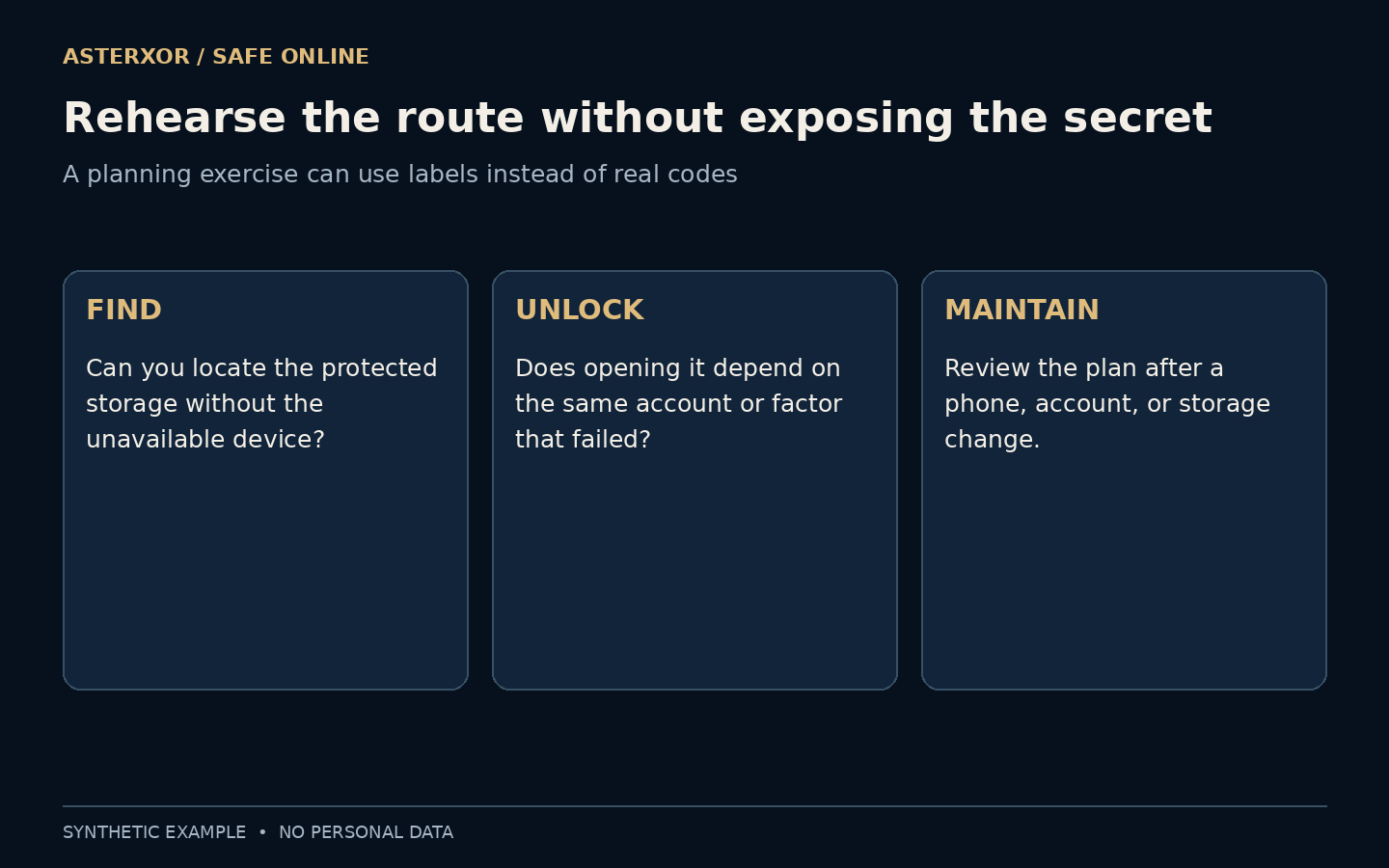
A quiet planning exercise can ask whether you can locate the protected storage, unlock it without the missing device and identify the correct account. Use dummy labels for the exercise. You do not have to copy a secret into a worksheet or consume a real one-time code merely to discover that the plan has a circular dependency.
Review the route after a device change, a move or a change to how your storage is unlocked. The point is not to accumulate emergency paperwork. It is to make a short, credible path from an ordinary failure back to controlled access, while keeping that path private enough that it does not become someone else’s shortcut.
Further reading
Google Account Help: backup codes ↗GitHub Docs: configuring two-factor recovery methods ↗Original documentation and useful background.