Two questions are not automatically two different factors.
A password and a PIN may feel like two locks, yet both usually belong to the same family: something you know. Authentication factors can instead involve something you possess or something you are. The distinction matters because a stolen password should not, by itself, satisfy every check required to enter an account.
The extra check should demand different evidence.
Different evidence, not just a longer questionnaire
A familiar example combines a password with a code from an authenticator on your device. The password represents knowledge; the device supplies evidence of possession. A biometric check can help activate a device-held credential. The precise security properties depend on the implementation, enrollment and recovery arrangements, so counting screens alone is not a reliable measure of protection.
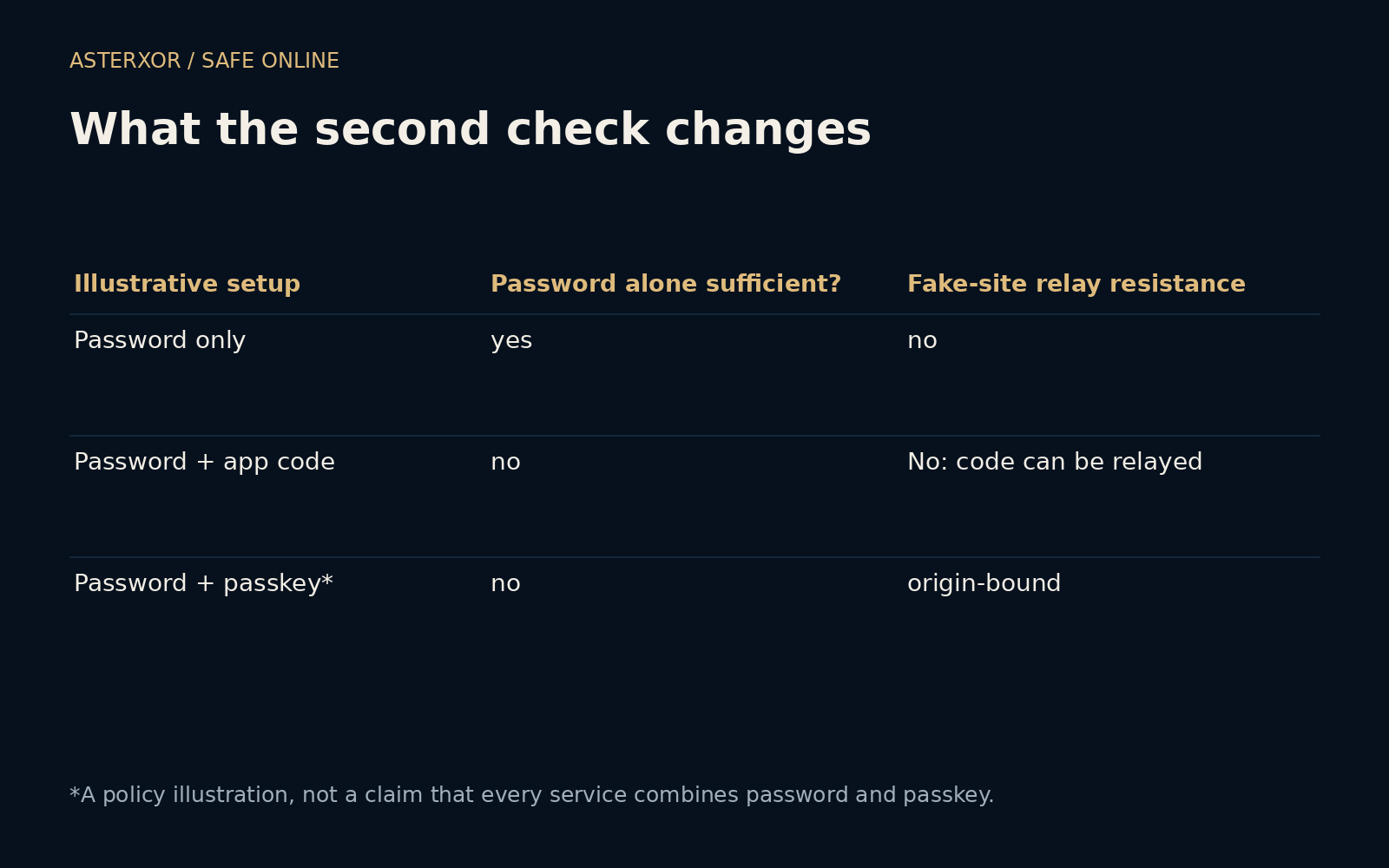
Our small offline table contrasts password-only access, a password plus a manually entered app code, and an origin-bound credential used under an illustrative policy. It also counts password plus PIN as one factor family and password plus device as two. These are declared conceptual categories. We did not sign in anywhere or measure real services against the table.
A stolen password is only one possible problem
In the password-only model, knowing the password supplies the required secret. In the app-code model it does not: the second check asks for additional evidence. This is why adding multifactor authentication is valuable even though it does not stop every kind of deception. An attacker who only obtained an old password faces a different situation from someone also controlling the device.
A manually entered code can still be requested by a fake page and relayed during a live sign-in. SMS can add protection against password-only theft while introducing dependencies on the phone number and mobile account. App codes avoid some of those dependencies, but neither their appearance nor their short lifetime automatically binds them to the genuine website.
Why phishing resistance deserves its own label
Passkeys and security keys using suitable protocols bind authentication to a relying party, the service requesting it. That helps prevent a lookalike website from obtaining a response usable for the genuine service. This property differs from simply adding another field to a form. A credential can also require local user verification, such as unlocking the device, depending on its design and policy.
Our table’s password-plus-passkey row is an illustration of policy, not a claim that every service asks for both. Many passkey flows replace the password entirely. Whether a particular flow satisfies a multifactor requirement depends on its authenticator and verification requirements. The practical question is which threats the available method addresses, not how many labels a sign-in page displays.
An unexpected approval is not a harmless interruption
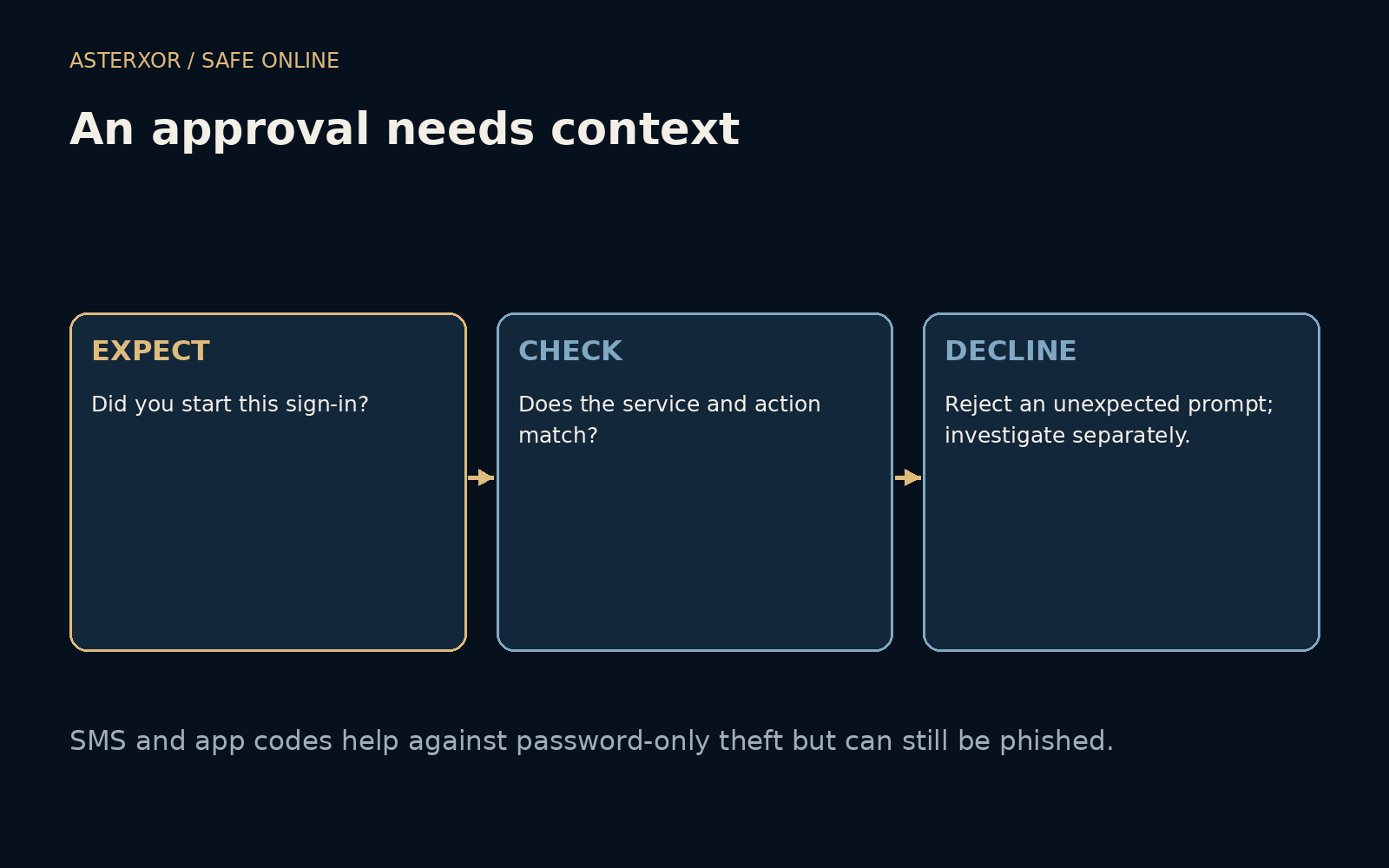
A push request arriving when you did not begin a login is a reason to decline and investigate. Repeated prompts should not be approved merely to make the phone quiet. When you did initiate the action, check that the named service and context match. Number matching and other contextual checks can help, but users still need a recognizable, understandable request.
If something seems wrong, open the service independently and inspect recent account activity and sessions. Do not provide an authentication code to an unexpected caller or message sender. Support interactions, recovery and device replacement may have their own verification procedures; follow the service’s official process rather than a script supplied by the person creating urgency.
Plan for a missing device before it goes missing
A second factor protects access partly by making it harder to enter without the required device or evidence. That also means losing the device can interrupt your own access. Review supported recovery options, keep appropriate backup methods and remove obsolete methods when replacements are working. Store recovery material so that the same incident does not remove both the normal route and the spare.
For an ordinary account, enabling a supported second factor is often a meaningful improvement even when the strongest method is unavailable. Prefer phishing-resistant options when practical, without pretending that recovery, device security or user confusion disappear. The objective is a usable chain of checks that remains protective when one piece of information is exposed.
Further reading
NIST: Authentication and authenticator management ↗CISA: Turn on multifactor authentication ↗Original documentation and useful background.